
How effective is your Daily Scrum?!

As a quick reminder ...
Daily Scrum is
- A formal opportunity for in-time inspection & adaptation
- Just for Developers (to get aligned)
- Inspecting the progress toward the Sprint Goal
- Creating an actionable plan for the next day
- Identifying impediments
- 15-minute timebox
Daily Scrum is NOT
- A status meeting
- A problem-solving meeting
- For the Product Owner and Scrum Master
- Mandatory for Developers to stand up
Daily Scrum is an alignment session to increase the likelihood of achieving the Sprint Goal.
Without a Sprint Goal, the Daily Scrum is pointless.
Here is how to use AI to create a Sprint Goal.
Copy this prompt, paste it into an AI system like ChatGPT, fill in the brackets with the specific data of your product, and use the result as the draft version of your Sprint Goal:
-----------------------------------------------------------------------
We use [Sprint duration like two-week] Sprints to build [Your Product]. The Product Vision is to [Your Product Vision]. We use [Product Goal duration like quarterly] Product Goals as the mid-term goals. The current Product Goal is to [Your current Product Goal]. This is the [Sprint number like first] Sprint of the current Product Goal. So, break down the current Product Goal into smaller short-term goals and use them as the base to create a Sprint Goal for the [Sprint number] Sprint aligned with the Product Vision and the current Product Goal through the FOCUS model as follows:
Fun: come up with a memorable title and try to inject an element of fun.
Outcome-oriented: The goal should achieve a common understanding of what you are trying to accomplish.
Collaborative: The whole Scrum Team creates the Sprint Goal together.
Ultimate: The Sprint Goal should include a why, the ultimate reason behind what we are trying to achieve.
Singular: The Sprint Goal should consist of a single common objective instead of multiple competing objectives.
-----------------------------------------------------------------------
AI enhances your Daily Scrum in 3 stages
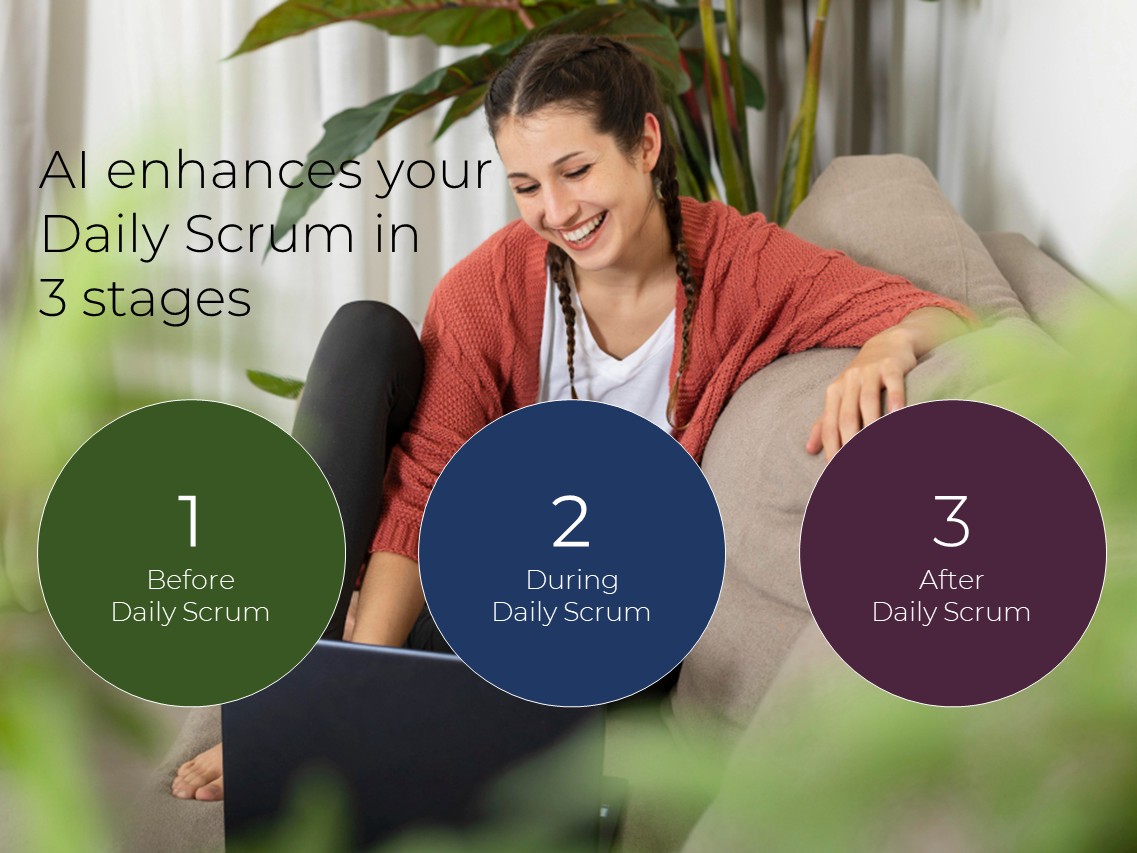
1- Before Daily Scrum
Use AI to analyze your task management tools like Jira, Azure DevOps, etc. + your team communication tools like Slack, MS Teams, etc. to create your desired insights of the previous day, giving you input for today’s Daily Scrum, including:
- Stories stuck too long
- Work-in-progress violations
- Unplanned work (bugs, urgent requests, …)
- Any blocker
- Team sentiment
- The likelihood of achieving the Sprint Goal
- …
Result: The team walks into the Daily Scrum already aware of where inspection is needed, saving time and making it more effective.
To prepare the team for the AI-enhanced Daily Scrums, you need to setup three things:
1.1. Create a channel/group to add and collect the generated insights (e.g., Slack channel, MS Teams group, …)
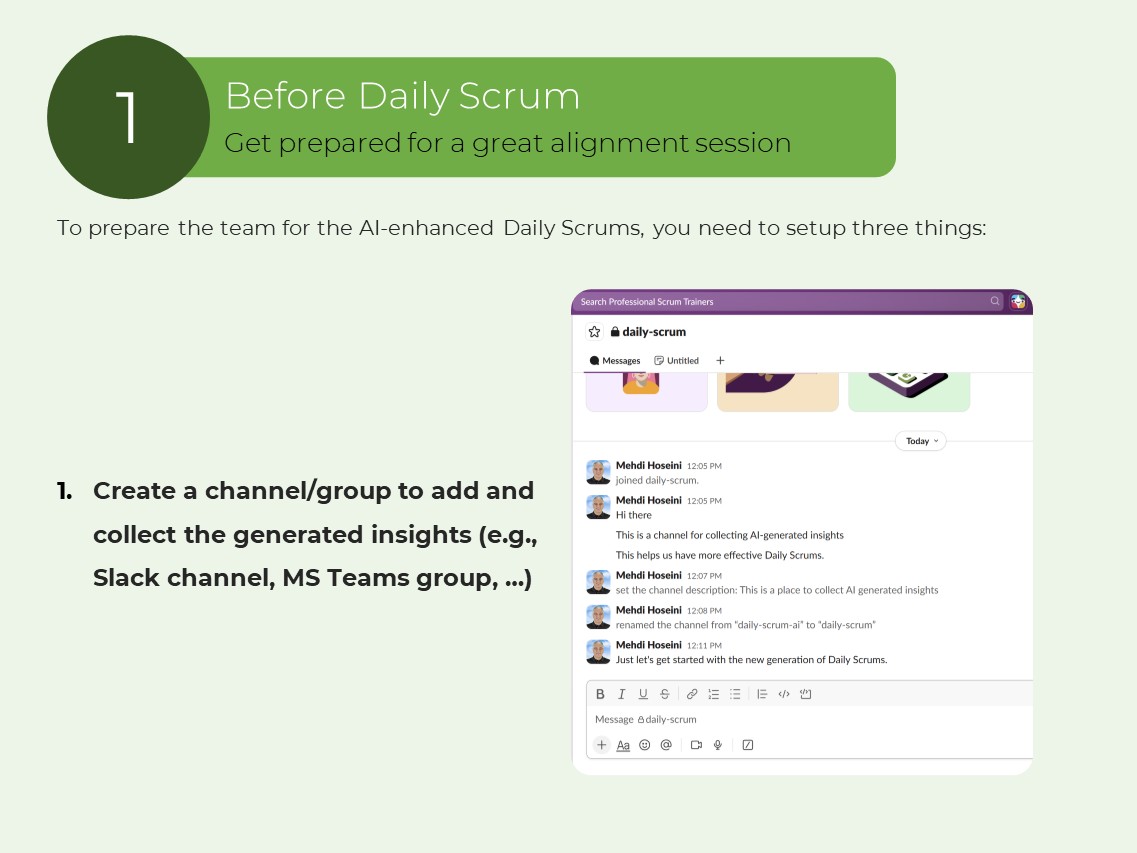
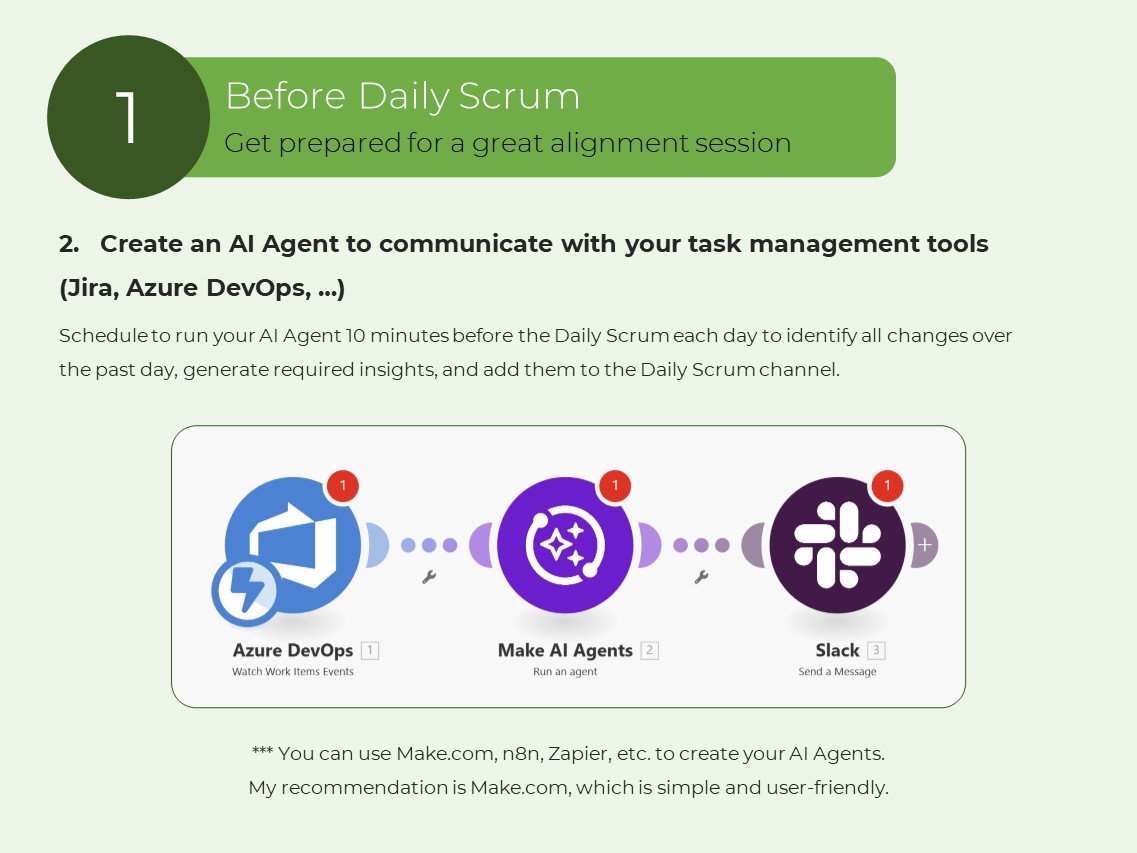
1.2. Create an AI Agent to communicate with your task management tools (Jira, Azure DevOps, …)
Schedule to run your AI Agent 10 minutes before the Daily Scrum each day to identify all changes over the past day, generate required insights, and add them to the Daily Scrum channel.
*** You can use Make.com, n8n, Zapier, etc. to create your AI Agents. My recommendation is Make.com, which is simple and user-friendly.
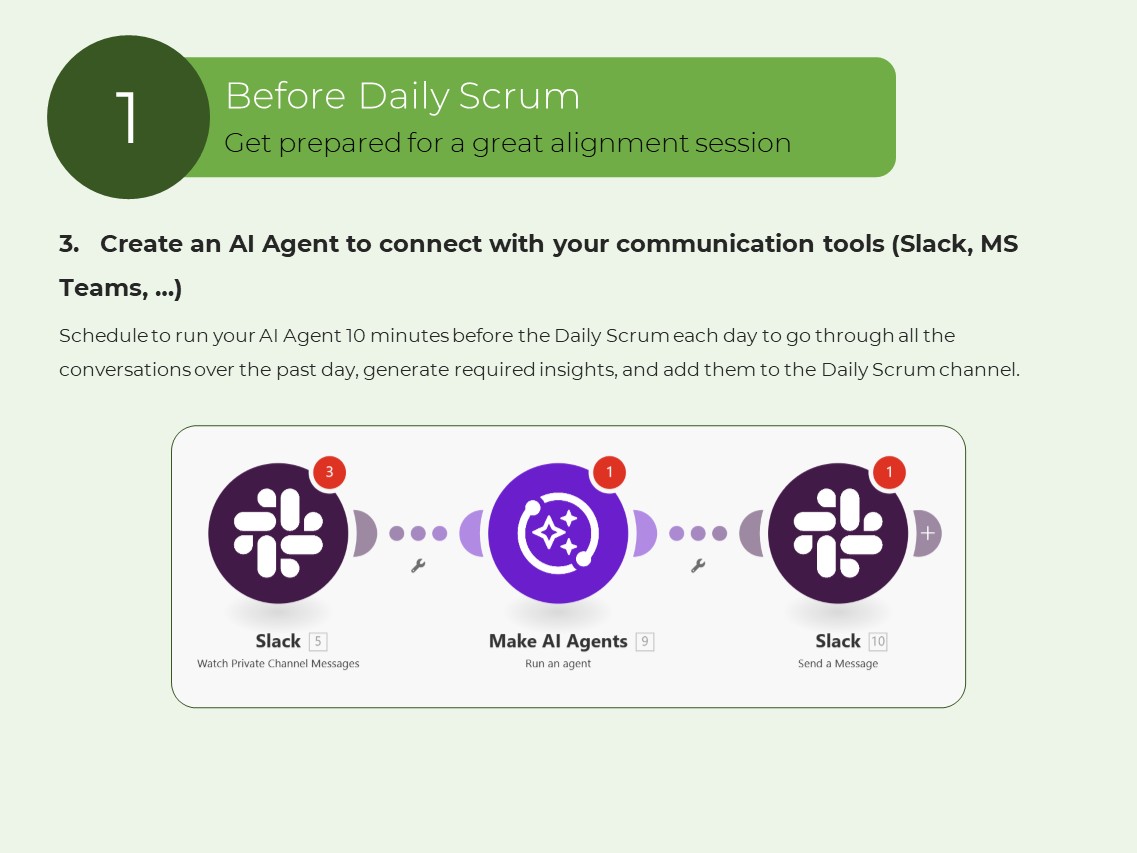
1.3. Create an AI Agent to connect with your communication tools (Slack, MS Teams, …)
Schedule to run your AI Agent 10 minutes before the Daily Scrum each day to go through all the conversations over the past day, generate required insights, and add them to the Daily Scrum channel.
2- During Daily Scrum
Make AI your Meeting Intelligent Assistant. To do so, use an AI meeting note-taker. The following tools are good options: Fireflies.ai, Otter.ai, Tactiq.io
(They are easily integrated with your communication tools like MS Teams, Zoom, …)
They silently work in the background to take notes of the Daily Scrum.
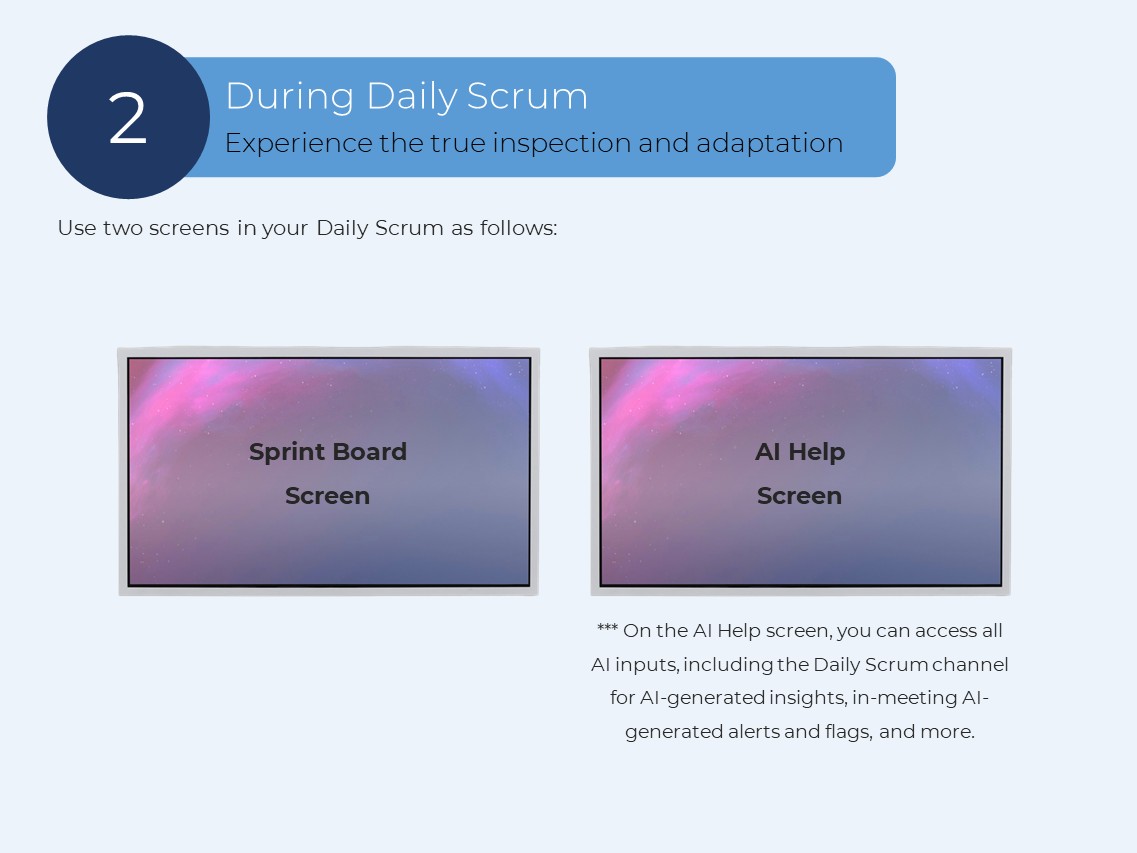
Use two screens in your Daily Scrum as follows:
*** On the AI Help screen, you can access all AI inputs, including the Daily Scrum channel for AI-generated insights, in-meeting AI-generated alerts and flags, and more.
Daily Scrum happens in two parallel lines.
Line 1: Team
1- The team checks the insights of the past day generated just before the meeting by AI.
2- The team starts the conversation around inspecting the progress toward the Sprint Goal.
3- The team makes an actionable plan for today to maximize the likelihood of achieving the Sprint Goal.
4- The team shares the blockers and impediments and defines how it wants to deal with them.
Line 2: AI Assistant
Your AI assistant helps you by giving in-time alerts:
- Alert the team to return to the Sprint Goal
- Flag when the team drifts into problem-solving
- Flag repeated blockers
- Gently alert when someone exceeds their time
- Alert when the event timebox is over
Your conversations in the Daily Scrum should shift from activity reporting to Sprint Goal-oriented inspection.
3- After Daily Scrum
Setup your AI meeting note-taker and AI Agents to do the following things:
A- Create a summary of the Daily Scrum
B- List the blockers and how the team wants to deal with them
C- List the decisions for the day made in the Daily Scrum
D- Informing the Scrum Master about the impediments
E- Set separate meetings to solve announced problems and invite team members (for this item, you need to setup an AI Agent)
Sprint-level AI Insights
Scrum Masters can leverage the following Sprint-level AI-generated insights for the Sprint Retrospectives, private coaching conversations, and adjusting team agreements:
- Recurring blockers and impediments
- Stories that frequently spill over from one Sprint to the next Sprint
- Daily Scrums drifting into status meetings
- Daily Scrums drifting into problem-solving
- Stories repeatedly announced as “almost done”
- Same people always reporting blockers
- Who speaks most/least
- Whether updates are task-based vs. goal-based
- The positivity level of the Daily Scrums
- Adherence to the event timebox
Definition of a “Good” AI‑enhanced Daily Scrum
- Sprint Goal is the center of conversation
- Produces a clear, actionable plan for today
- Insights are generated and used
- Team members get in-time alerts
- Blockers are visible
- Is positive, productive, and ends early or on time
- Team leaves knowing exactly what to do next
If you want to download the full PDF document, click here.
If you want to learn how to effectively leverage AI for the new generation of product management, you can attend my upcoming Professional Scrum Product Owner – AI Essentials class. Click here to see the class information.