
How effective is your Sprint Planning?!
Sprint Planning initiates your Sprint as a formal opportunity to create an actionable plan for the Sprint.
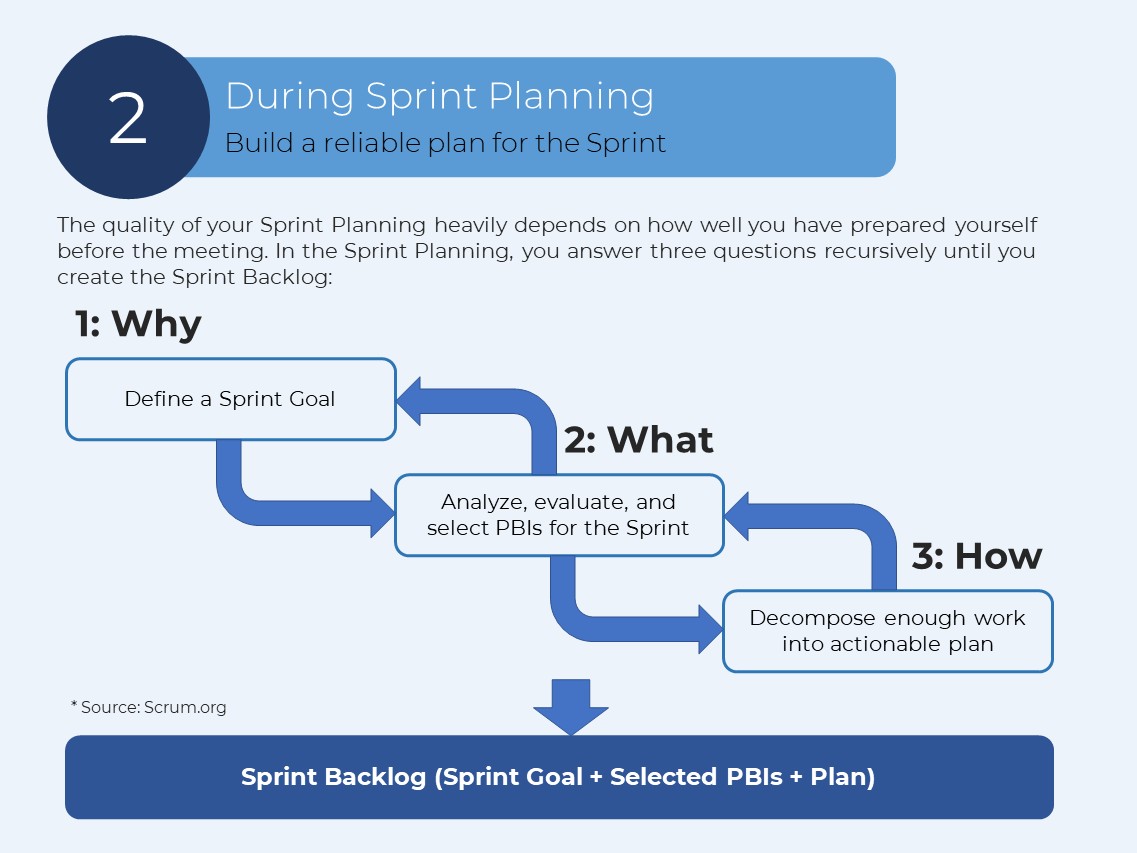
In the Sprint Planning, you answer three questions: Why, What, and How. The answer to them creates:
Why: Sprint Goal
What: Selected Product Backlog Items
How: Plan or Tasks
AI enhances your Sprint Planning in 3 stages
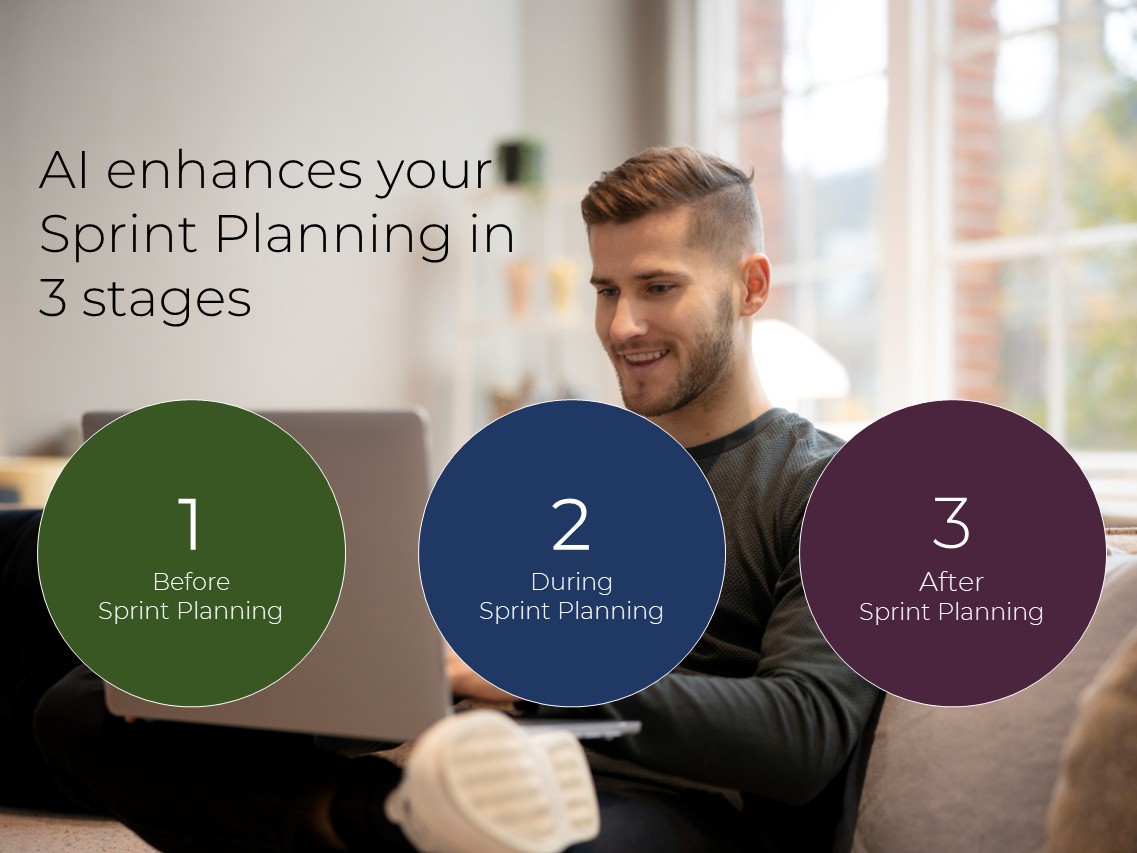
1- Before Sprint Planning
I believe this is the most important part. The more preparation you get, the better the quality of your Sprint Planning.
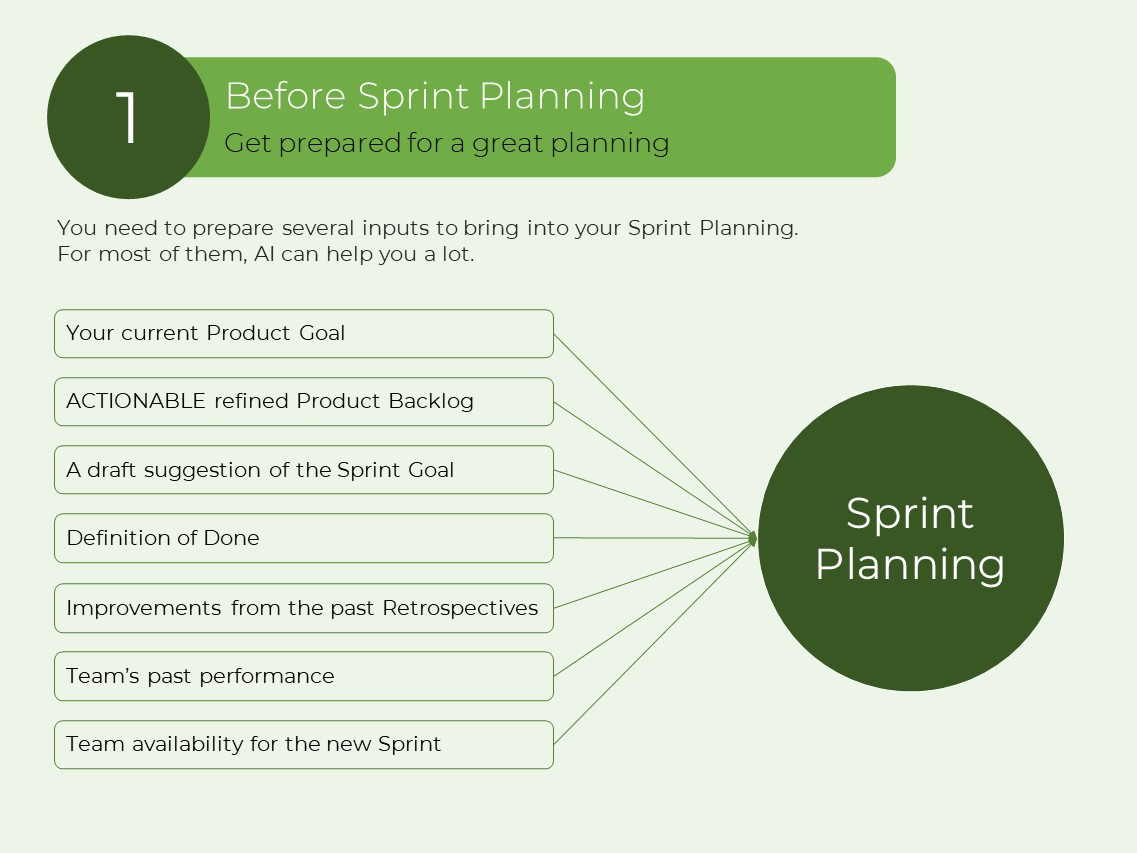
You need to prepare several inputs to bring into your Sprint Planning.
For most of them, AI can help you a lot.
- Your current Product Goal
- ACTIONABLE refined Product Backlog
- A draft suggestion of the Sprint Goal
- Definition of Done
- Improvements from the past Retrospectives
- Team’s past performance
- Team availability for the new Sprint
A: Your current Product Goal
Whatever you plan to implement should support your goals.
This is the relation between 3 levels of goals.
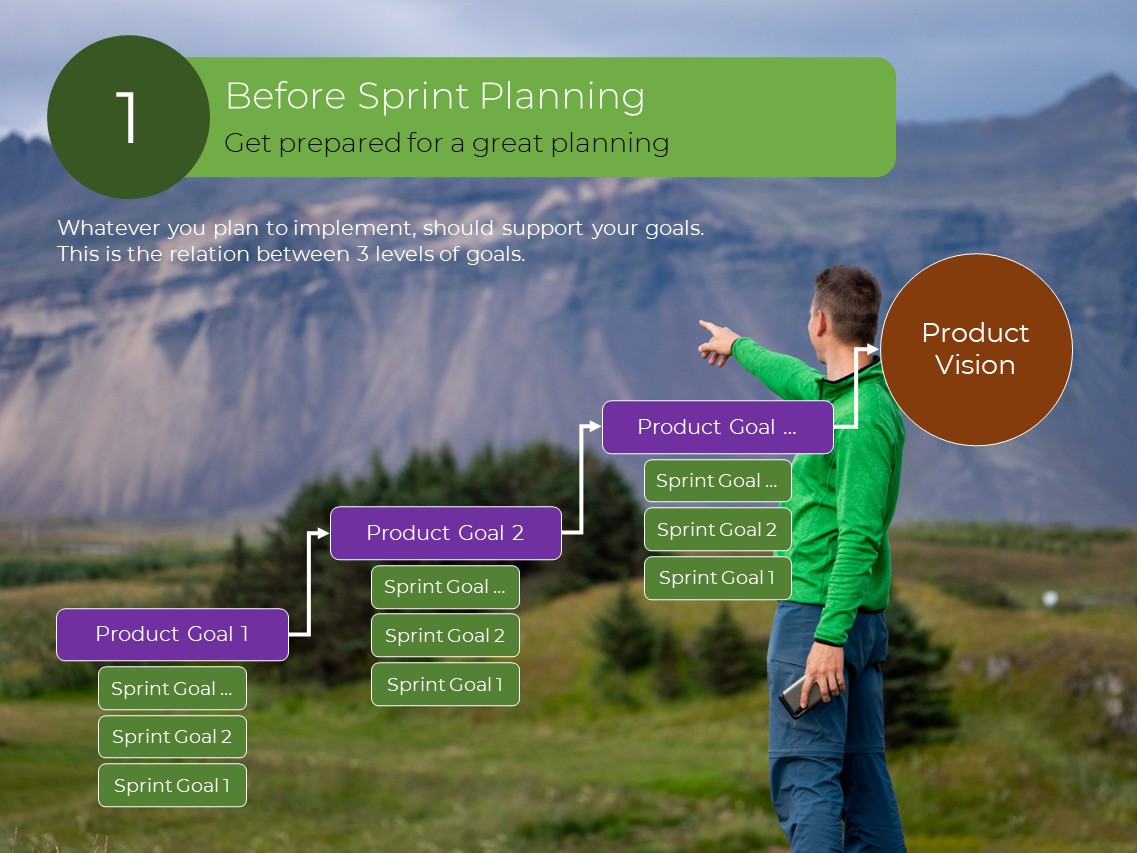
Bring a concrete Product Goal to the Sprint Planning. Product Goal is the future state of your product. Although the duration of the Product Goal depends on your context, using a quarterly Product Goal is a good choice. Leverage AI with the following instructions to create your Product Goal.
Copy this prompt, paste it into an AI system like ChatGPT, fill in the brackets with the specific data of your product, and create your Product Goal:
-------------------------------------------------------------------
We are building [Your Product]. The Product Vision is [Your Product Vision].
[Give it a little bit of context by explaining the high-level concept of your product and how it is going to create value].
We use Product Goals as the mid-term goals. So, break down the Product Vision into several smaller mid-term goals and create the first Product Goal (mid-term goal) within the SMART model boundaries as follows:
Specific: The goal should be clear and specific, avoiding any ambiguity about what is to be achieved.
Measurable: The goal should have criteria for measuring progress and success, so you can track your achievements.
Achievable: The goal should be realistic and attainable.
Relevant: The goal should matter to you and your stakeholders and align with other relevant objectives, ensuring it is worthwhile.
Time-bound: The goal should have a clearly defined deadline to create a sense of urgency and focus.
-------------------------------------------------------------------
B: Product Backlog Content
You can leverage AI as a thought partner to help you manage your Product Backlog by creating PBIs.
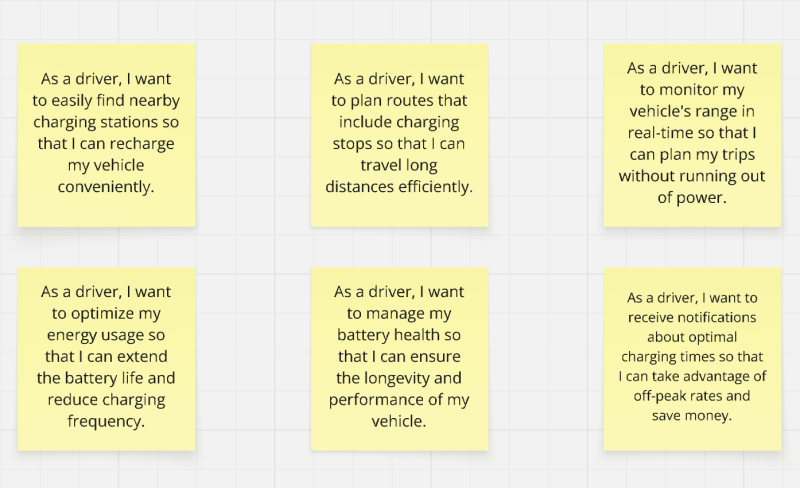
As an example, I used Miro AI to initiate a Product Backlog for an Electric Vehicle product. The prompt is:
Create 6 User Stories for an Electric Vehicle car product from the Driver actor’s point of view.
Or you can create an AI Agent to watch the incoming support emails from customers on Outlook, Gmail, Zoho, etc., to discover new features and add them to the Product Backlog on Jira, Azure DevOps, Trello, etc.
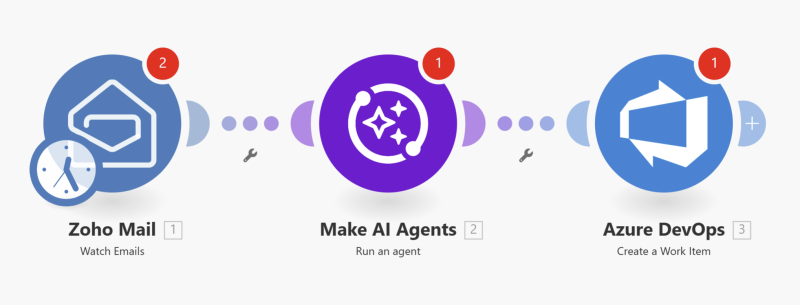
*** You can use Make.com, n8n, Zapier, etc. to create your AI Agents. My recommendation is Make.com, which is simple and user-friendly.
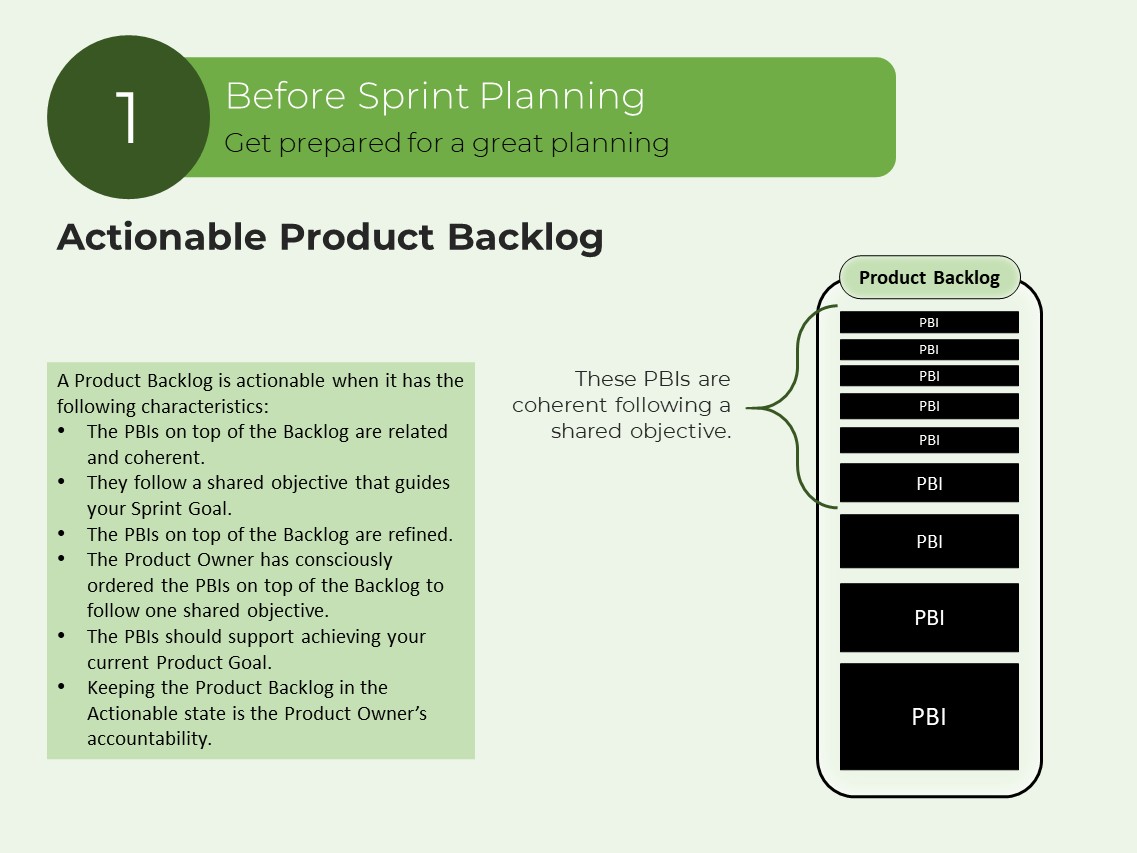
C: ACTIONABLE Product Backlog
A Product Backlog is actionable when it has the following characteristics:
- The PBIs on top of the Backlog are related and coherent.
- They follow a shared objective that guides your Sprint Goal.
- The PBIs on top of the Backlog are refined.
- The Product Owner has consciously ordered the PBIs on top of the Backlog to follow one shared objective.
- The PBIs should support achieving your current Product Goal.
- Keeping the Product Backlog in the Actionable state is the Product Owner’s accountability.
D: Product Backlog Refinement
It gives the team enough understanding of a PBI to start the implementation.
The bare minimum refinement for a typical software product includes preparing two things:
- Visual Design
- Acceptance Criteria
Visual Design
A great AI tool to create visual designs (Sketch, Mockup, Prototype) is Visily. Just with prompting, create polished designs. It increases your productivity dramatically.
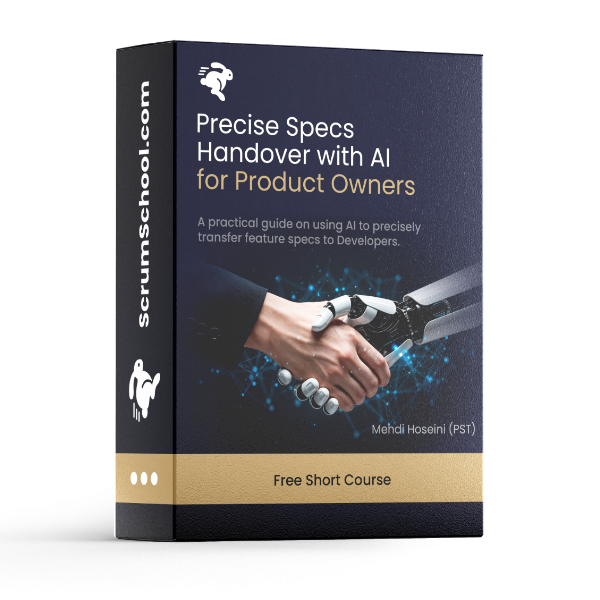
If you want to learn how to use Visily, watch my free short video course, Precise Specs Handover with AI for Product Owners. Click here to watch it.
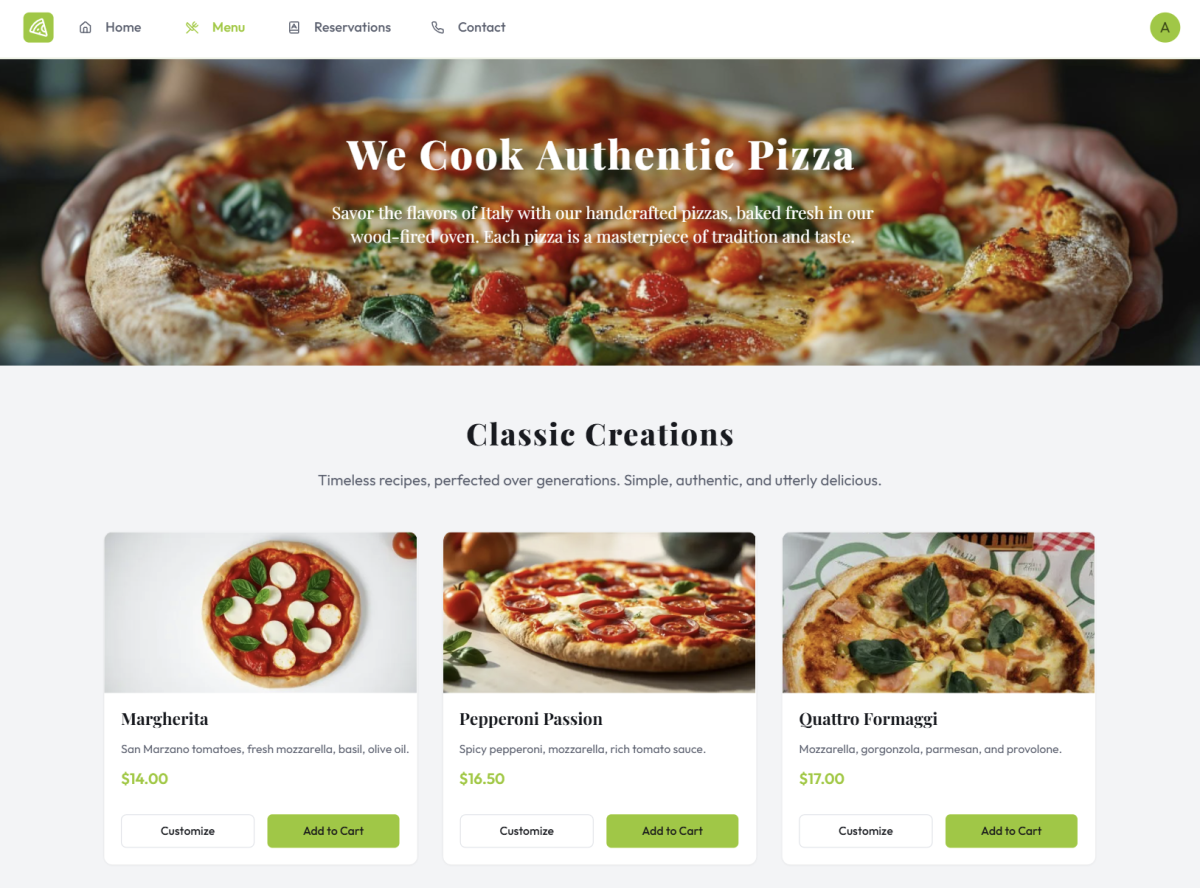
Visual Design Sample:
I used this prompt with Visily, and it created this outstanding result:
Create a website for an Italian restaurant that just cooks original pizza with a homepage, menu, reservation form, and contact. Use a modern olive green color palette.
Acceptance Criteria
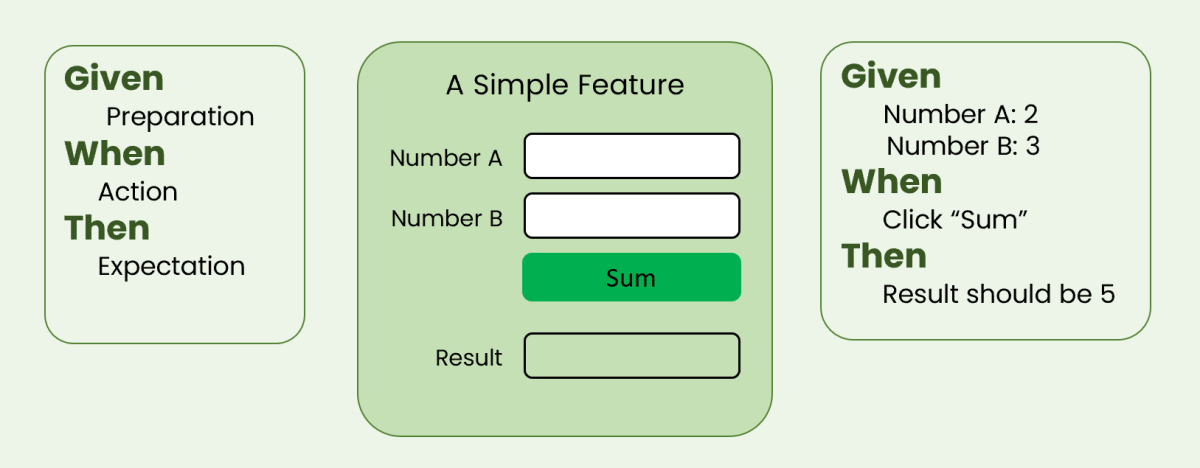
Acceptance Criteria is a set of test scenarios that a feature must pass to be considered complete and work as intended. It is a non-negotiable mechanism for creating quality features.
You can use Given-When-Then (GWT) format, to write effective test scenarios.
See this example:
You can leverage AI to generate Acceptance Criteria for PBIs.
Copy this prompt, paste it into an AI system like ChatGPT, fill in the brackets with the specific data of your PBI, and create a draft version of the Acceptance Criteria and then tune it:
-------------------------------------------------------------------
We are building [your product high-level concept].
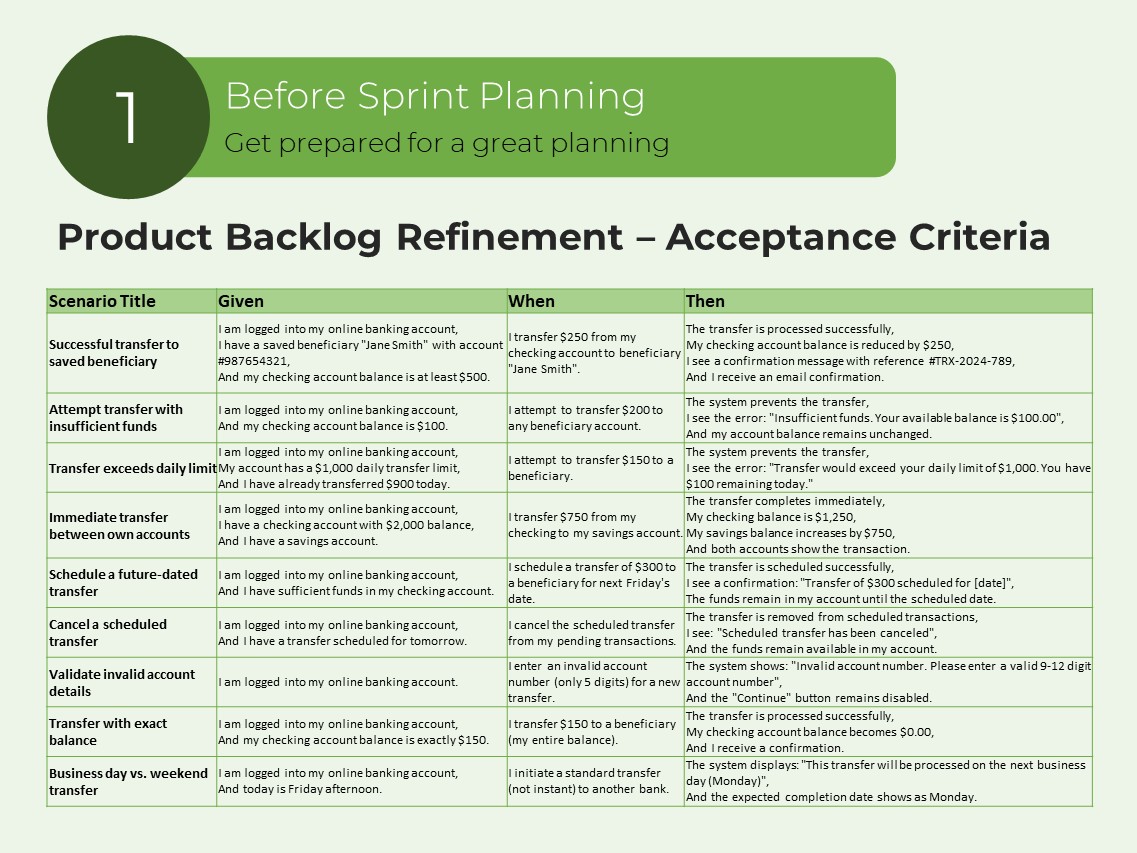
One of the features of this product is [your feature]. Create Acceptance Criteria for this feature based on the Gherkin language with the Given-When-Then (GWT) format and show the result in a table with these columns: Scenario Title, Given, When, Then.
-------------------------------------------------------------------
This is an example prompt to create Acceptance Criteria for a feature of an online banking system. See the result on the next page:
We are building an online banking system. One of the features of this product is that a user can transfer money from one bank account to someone else's bank account. Create Acceptance Criteria for this feature based on the Gherkin language with the Given-When-Then (GWT) format and show the result in a table with these columns: Scenario Title, Given, When, Then.
E: A draft suggestion of a Sprint Goal
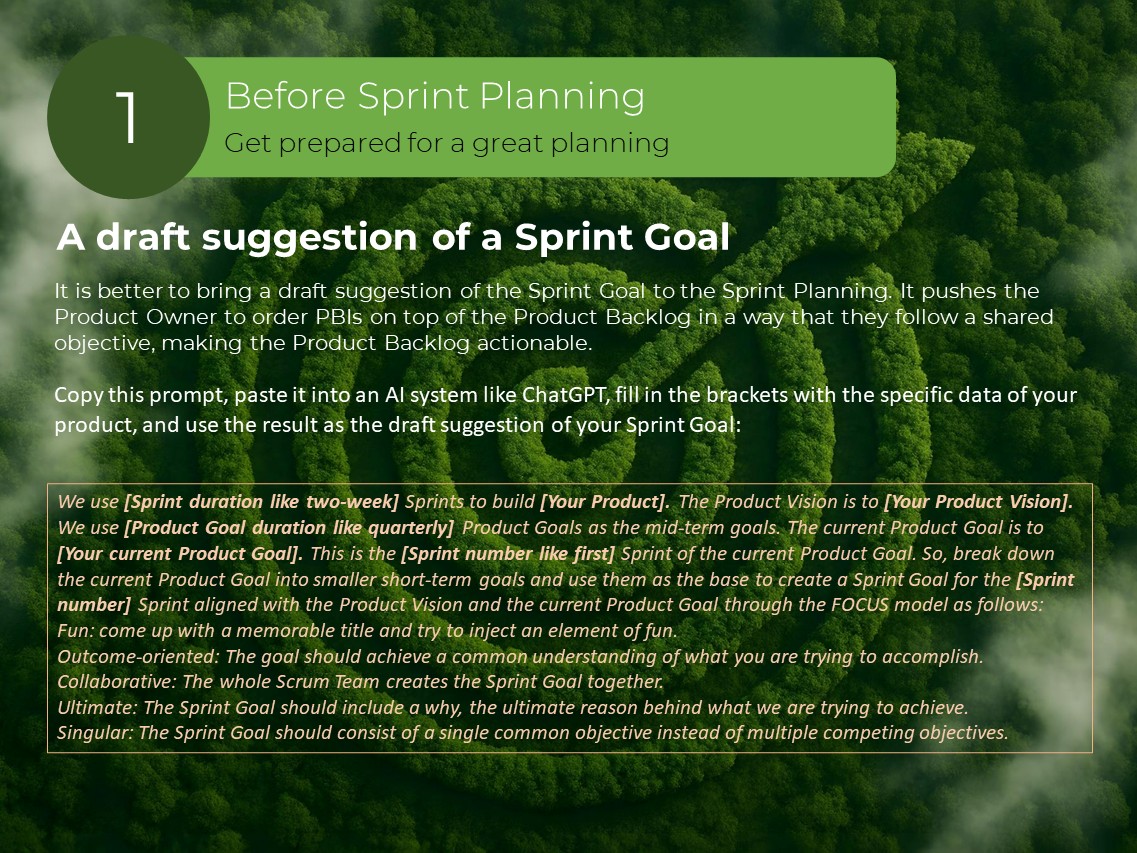
It is better to bring a draft suggestion of the Sprint Goal to the Sprint Planning. It pushes the Product Owner to order PBIs on top of the Product Backlog in a way that they follow a shared objective, making the Product Backlog actionable.
Copy this prompt, paste it into an AI system like ChatGPT, fill in the brackets with the specific data of your product, and use the result as the draft suggestion of your Sprint Goal:
------------------------------------------------------------------
We use [Sprint duration like two-week] Sprints to build [Your Product]. The Product Vision is to [Your Product Vision]. We use [Product Goal duration like quarterly] Product Goals as the mid-term goals. The current Product Goal is to [Your current Product Goal]. This is the [Sprint number like first] Sprint of the current Product Goal. So, break down the current Product Goal into smaller short-term goals and use them as the base to create a Sprint Goal for the [Sprint number] Sprint aligned with the Product Vision and the current Product Goal through the FOCUS model as follows:
Fun: come up with a memorable title and try to inject an element of fun.
Outcome-oriented: The goal should achieve a common understanding of what you are trying to accomplish.
Collaborative: The whole Scrum Team creates the Sprint Goal together.
Ultimate: The Sprint Goal should include a why, the ultimate reason behind what we are trying to achieve.
Singular: The Sprint Goal should consist of a single common objective instead of multiple competing objectives.
------------------------------------------------------------------
F: Definition of Done
The DoD is the shared clear understanding of what Done means. The more stringent the Definition of Done, the more quality product. It should include expectations from the following 6 main categories:
- Process Expectations
- Technical Expectations
- Delivery Expectations
- Industry Standards
- Organization Expectations
- Non-Functional Requirements
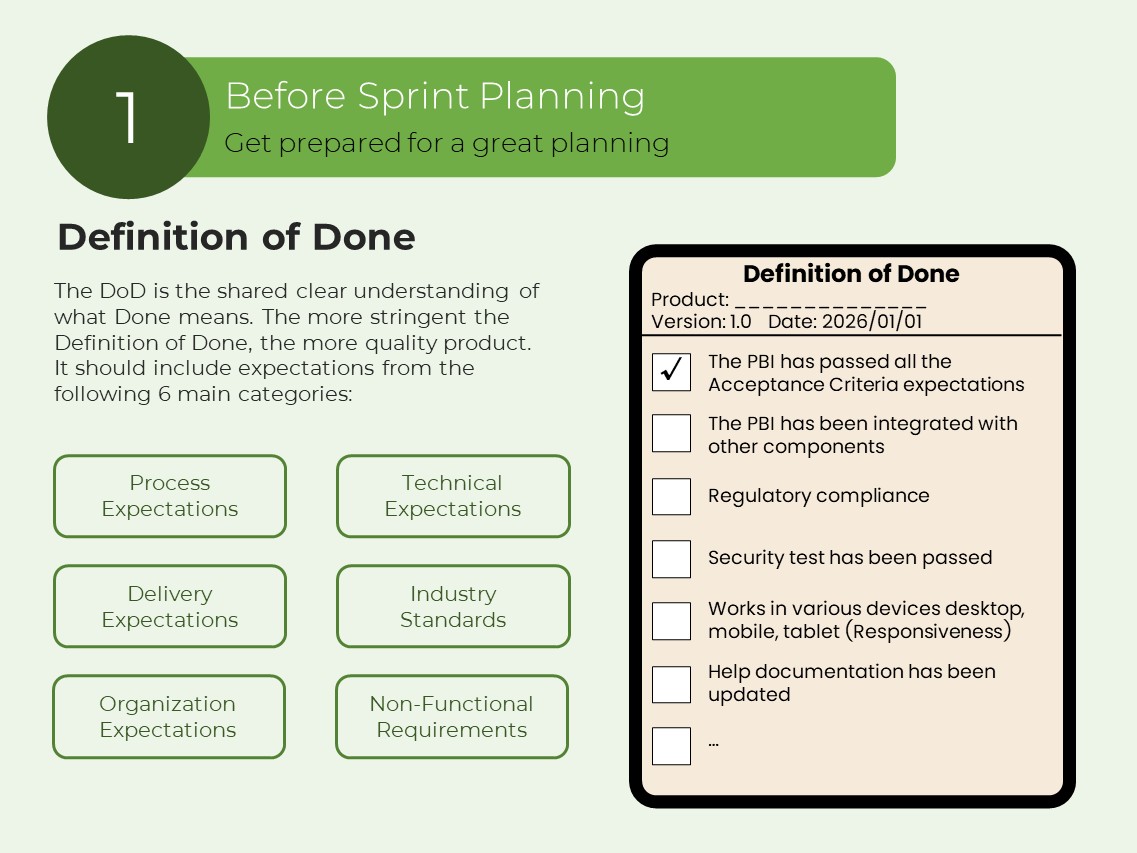
You can leverage AI to create and enhance your Definition of Done.
Copy this prompt, paste it into an AI system like ChatGPT, fill in the brackets with the specific data of your product and create the Definition of Done:
------------------------------------------------------------------
We are building an application for [The high-level concept of your Product]. The product name is [Your Product name].
The Definition of Done is the common shared understanding of the criteria that must be met for an Increment to be considered complete. It is the commitment of the Increment artifact to enhancing transparency and focus.
Create a Definition of Done document containing all required expectations for the [Your Product name] product.
The Definition of Done should be like a checklist including the following main categories of expectations:
1- Process expectations
2- Technical expectations
3- Delivery expectations
4- Industry standards & expectations
5- Organization expectations
6- Non-Functional Requirements
------------------------------------------------------------------
2- During Sprint Planning
Make AI your Meeting Intelligent Assistant. To do so, use an AI meeting note-taker. The following tools are good options:
(They are easily integrated with your communication tools like MS Teams, Zoom, …)
The quality of your Sprint Planning heavily depends on how well you have prepared yourself before the meeting. In the Sprint Planning, you answer three questions recursively until you create the Sprint Backlog:
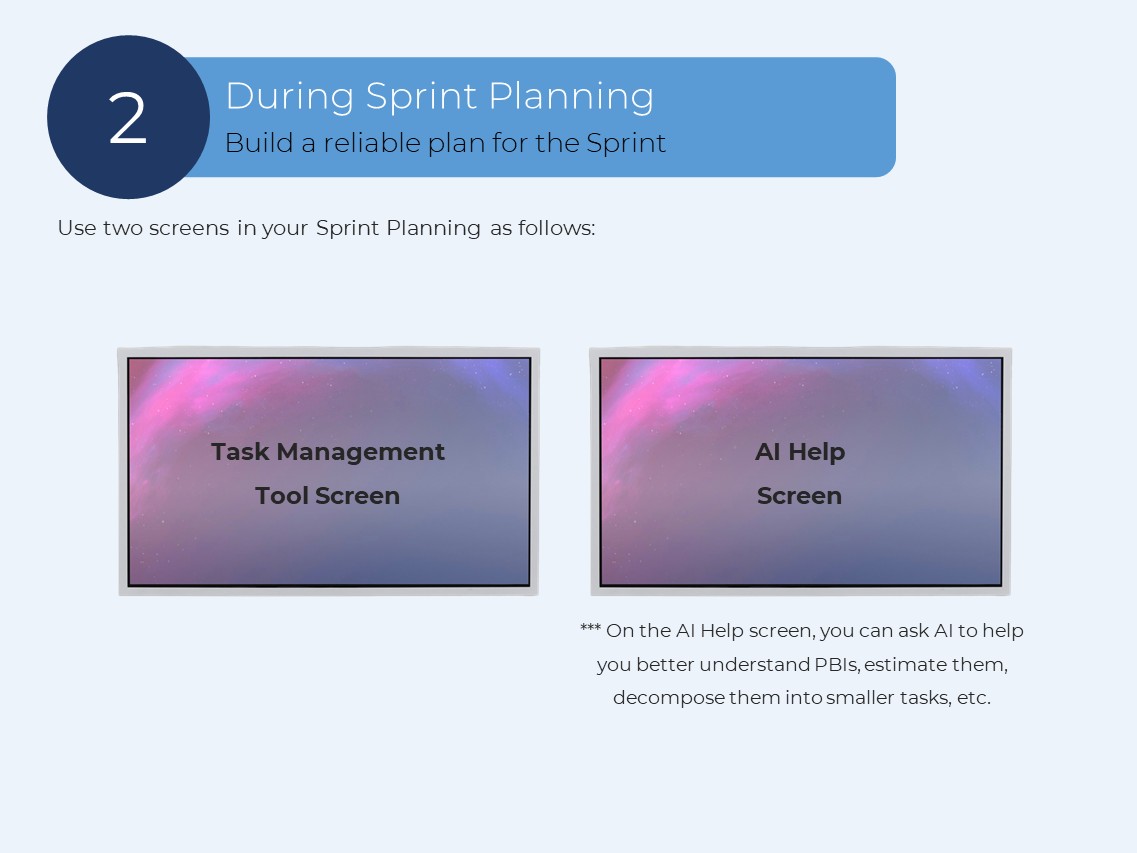
Use two screens in your Sprint Planning as follows:
*** On the AI Help screen, you can ask AI to help you better understand PBIs, estimate them, decompose them into smaller tasks, etc.
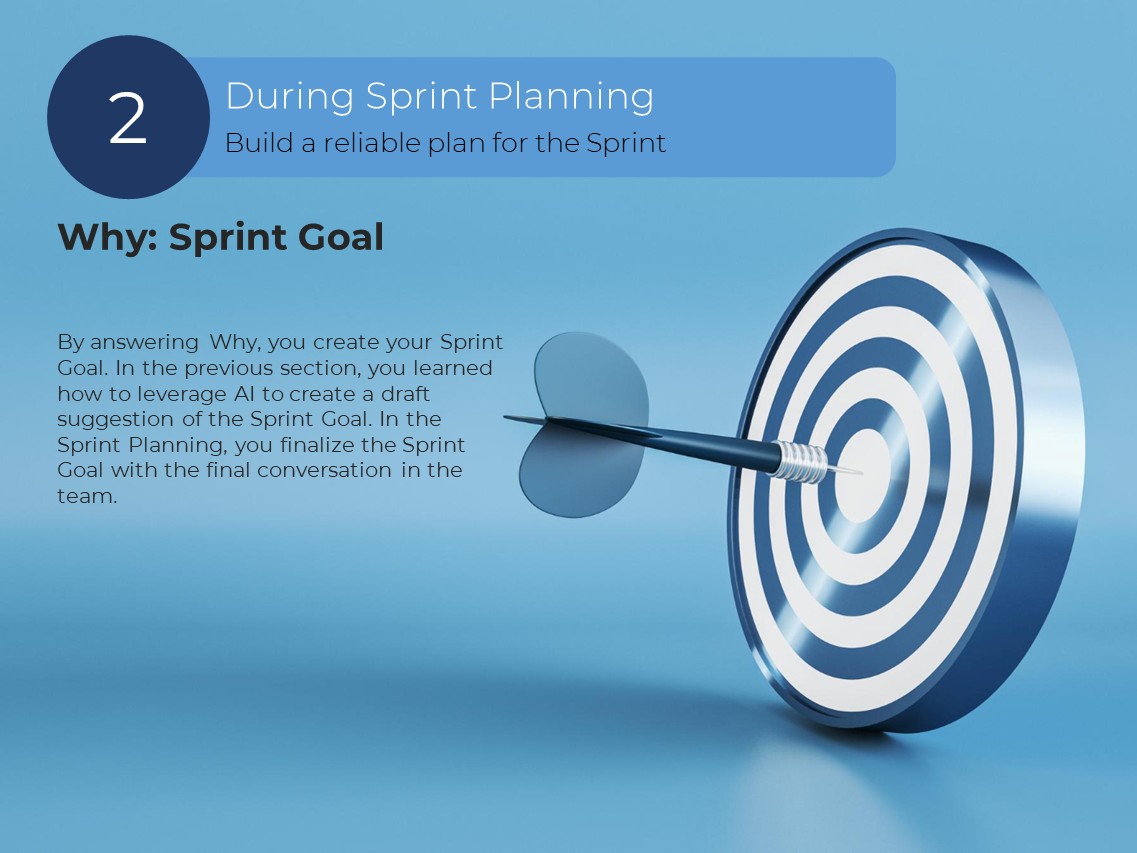
Why: Sprint Goal
By answering Why, you create your Sprint Goal. In the previous section, you learned how to leverage AI to create a draft suggestion of the Sprint Goal. In the Sprint Planning, you finalize the Sprint Goal with the final conversation in the team.
What: Selected Product Backlog Items
In this step, you discuss the PBIs from the top of the Product Backlog one by one to understand them. Then estimate them to see if they fit your capacity for the Sprint. Then drag them to the Sprint Backlog.
For estimation, you can use general LLM AI systems like ChatGPT, Google Gemini, Deepseek, etc., or a specific AI tool like Taskade.
It helps Scrum Teams generate reliable task estimates quickly, enhancing accuracy and saving time.
How: Plan or Tasks
In this step, you breakdown your PBI into small tasks of one day or less.
For creating tasks, you can use general LLM AI systems like ChatGPT, Google Gemini, Deepseek, etc., or an AI tool like Miro AI.
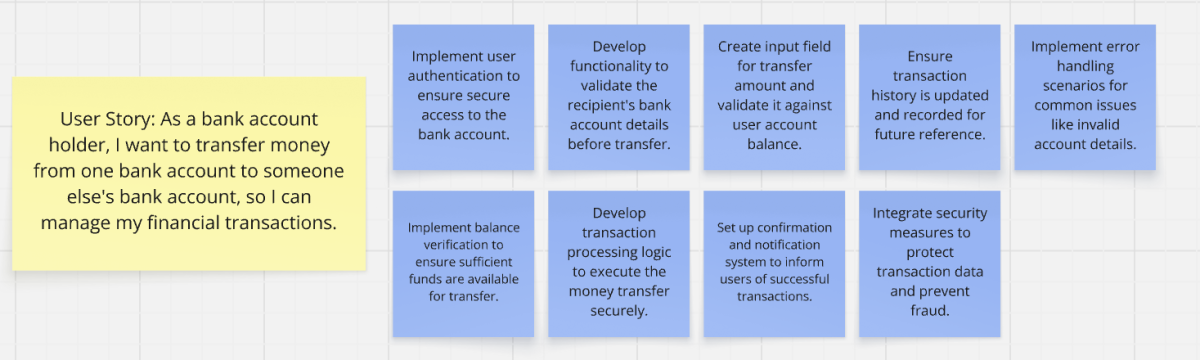
As an example, I used Miro AI to decompose a user story into small tasks. The prompt is:
Breakdown the following user story into some small executable tasks:
As a bank account holder, I want to transfer money from one bank account to someone else's bank account, so I can manage my financial transactions.
Final Result: Sprint Backlog
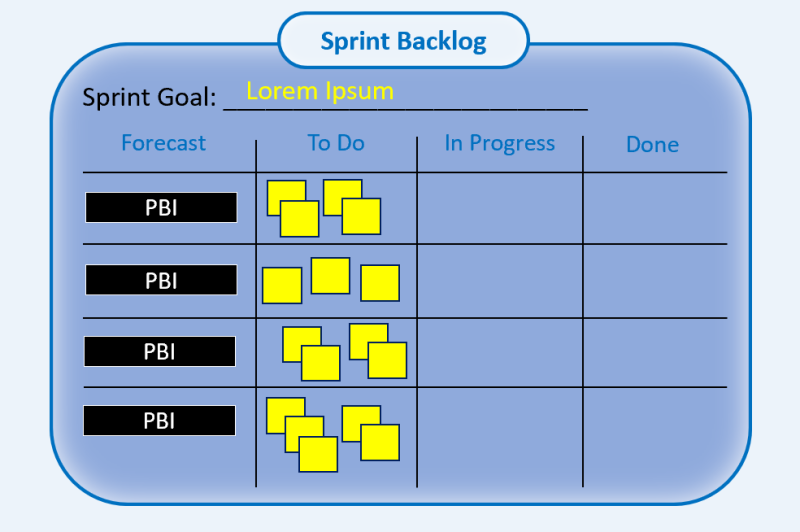
At the end of Sprint Planning, you should have created your Sprint Backlog with the following shape:
3- After Sprint Planning
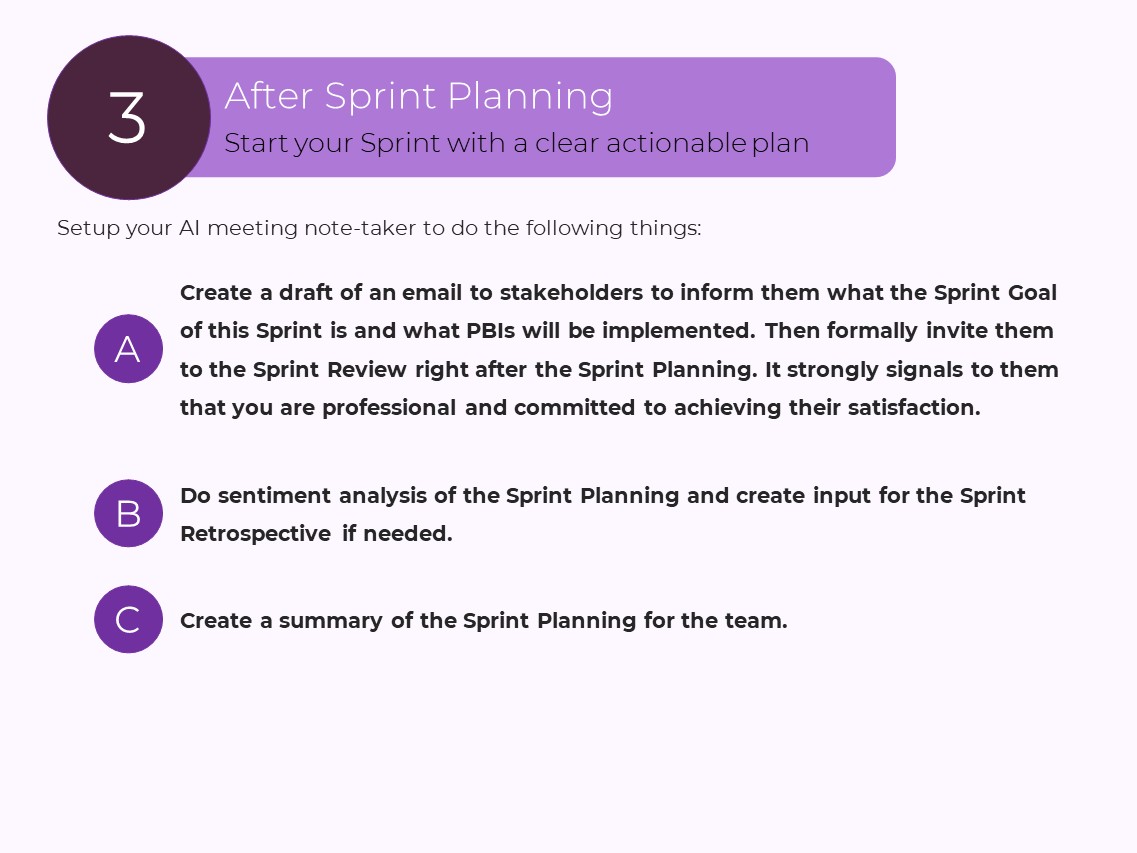
Setup your AI meeting note-taker to do the following things:
A: Create a draft of an email to stakeholders to inform them what the Sprint Goal of this Sprint is and what PBIs will be implemented. Then formally invite them to the Sprint Review right after the Sprint Planning. It strongly signals to them that you are professional and committed to achieving their satisfaction.
B: Do sentiment analysis of the Sprint Planning and create input for the Sprint Retrospective if needed.
C: Create a summary of the Sprint Planning for the team.
--------------------------------------------------------------------------
If you want to download the full PDF document, click here.
Are you a Scrum Master?
Then, if you want to invest in learning AI and become an AI-aware Scrum Master, attend my upcoming Professional Scrum Master – AI Essentials class. Click here to get more information about the class.
Are you a Product Owner?
Then, if you want to learn how to effectively leverage AI for the new generation of product management, attend my upcoming Professional Scrum Product Owner – AI Essentials class. Click here to see the class information.