
How effective is your Sprint Retrospective?!
As a quick reminder ...
Sprint Retrospective is
- For the whole Scrum Team members
- A place where the Scrum Team inspects itself
- A closed-door meeting
- A meeting to discuss how to increase quality and effectiveness
- A meeting to talk about 5 topics: individuals, interactions, processes, tools, and the Definition of Done
- For ensuring continuous improvement
Sprint Retrospective is NOT
- An optional event, but mandatory
- A box-checking Scrum event
- About the Product, but the Scrum Team
- For people outside the team, like managers
- For blaming team members
- Just for discussions, but defining improvement action items
- A meeting that only the Scrum Master facilitates, others can do as well
Sprint Retrospective is a session to plan ways to increase
quality and effectiveness.
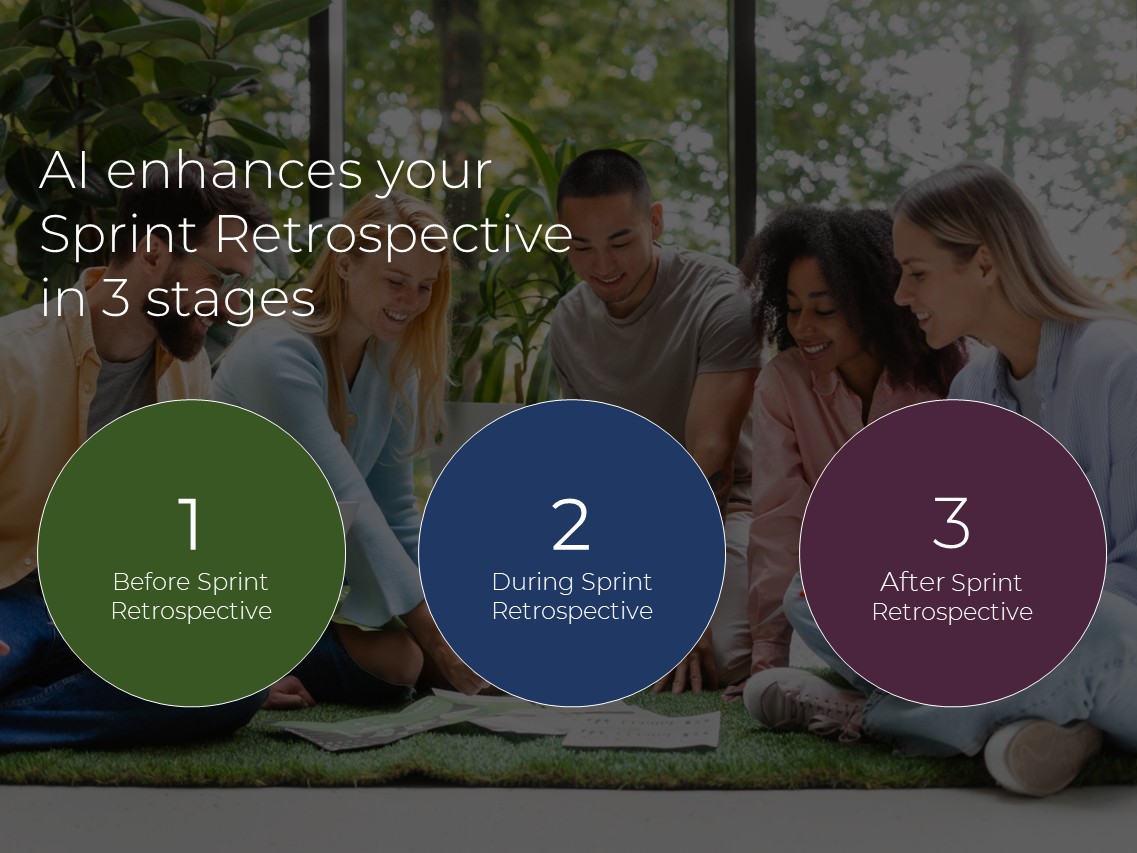
AI enhances your Sprint Retrospective in 3 stages
1- Before Sprint Retrospective
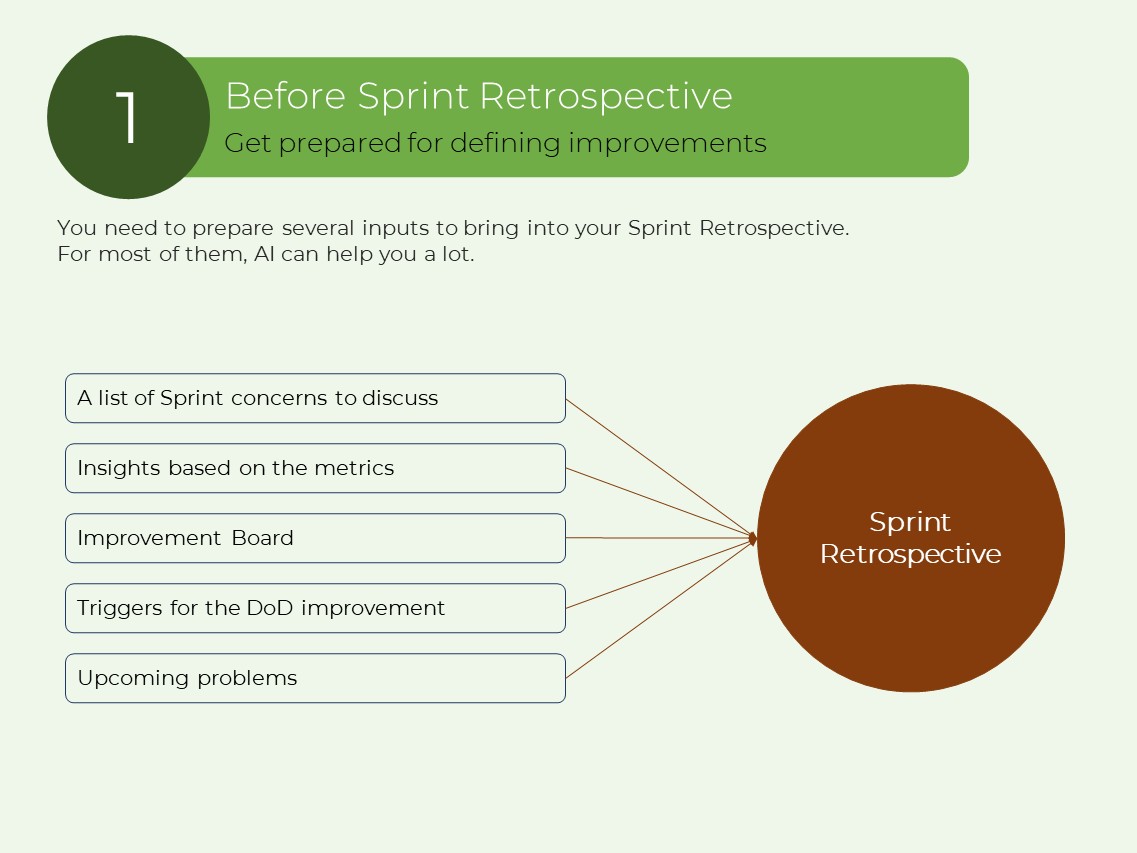
You need to prepare several inputs to bring into your Sprint Retrospective.
For most of them, AI can help you a lot.
- A list of Sprint concerns to discuss
- Insights based on the metrics
- Improvement Board
- Triggers for the DoD improvement
- Upcoming problems
Use AI to analyze your task management tools like Jira, Azure DevOps, etc. + your team communication tools like Slack, MS Teams, etc., to create insights of what happened during the Sprint.
Result: The team walks into the Sprint Retrospective already aware of where inspection is needed, saving time and making it more effective.
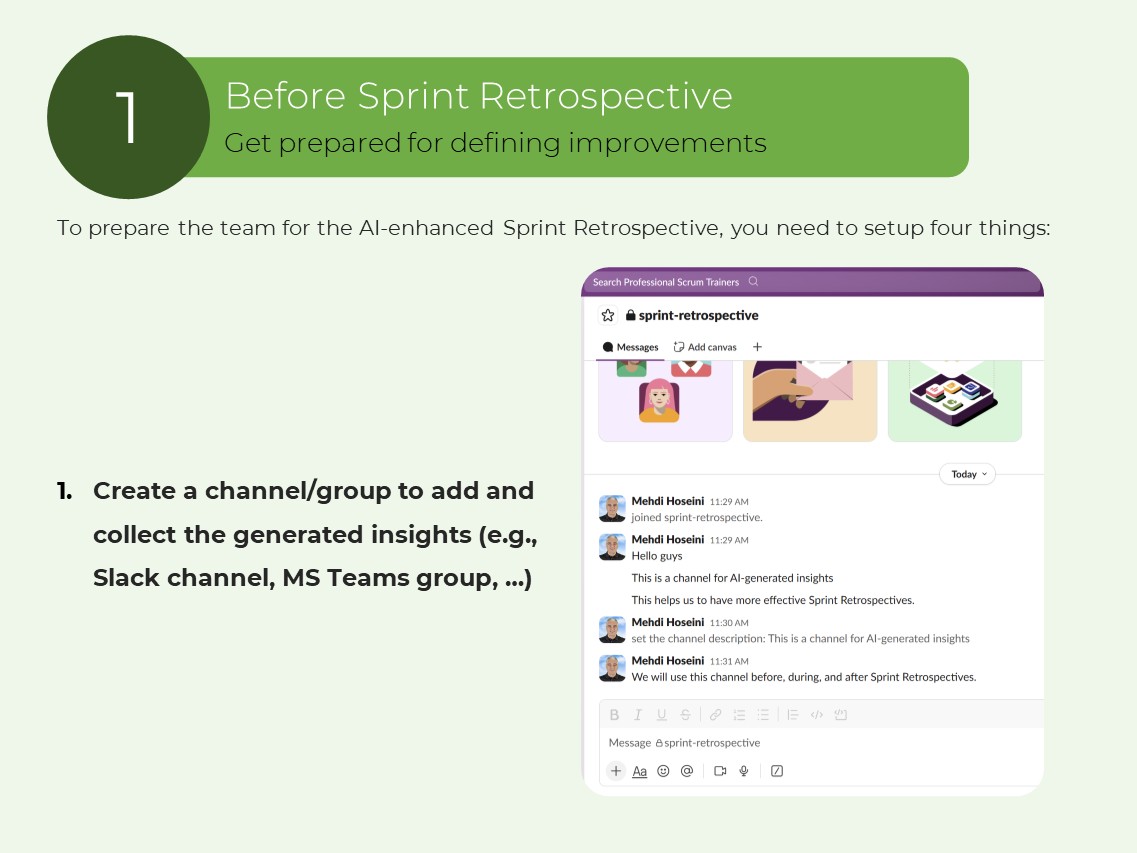
To prepare the team for the AI-enhanced Sprint Retrospective, you need to setup four things:
1. Create a channel/group to add and collect the generated insights (e.g., Slack channel, MS Teams group, …)
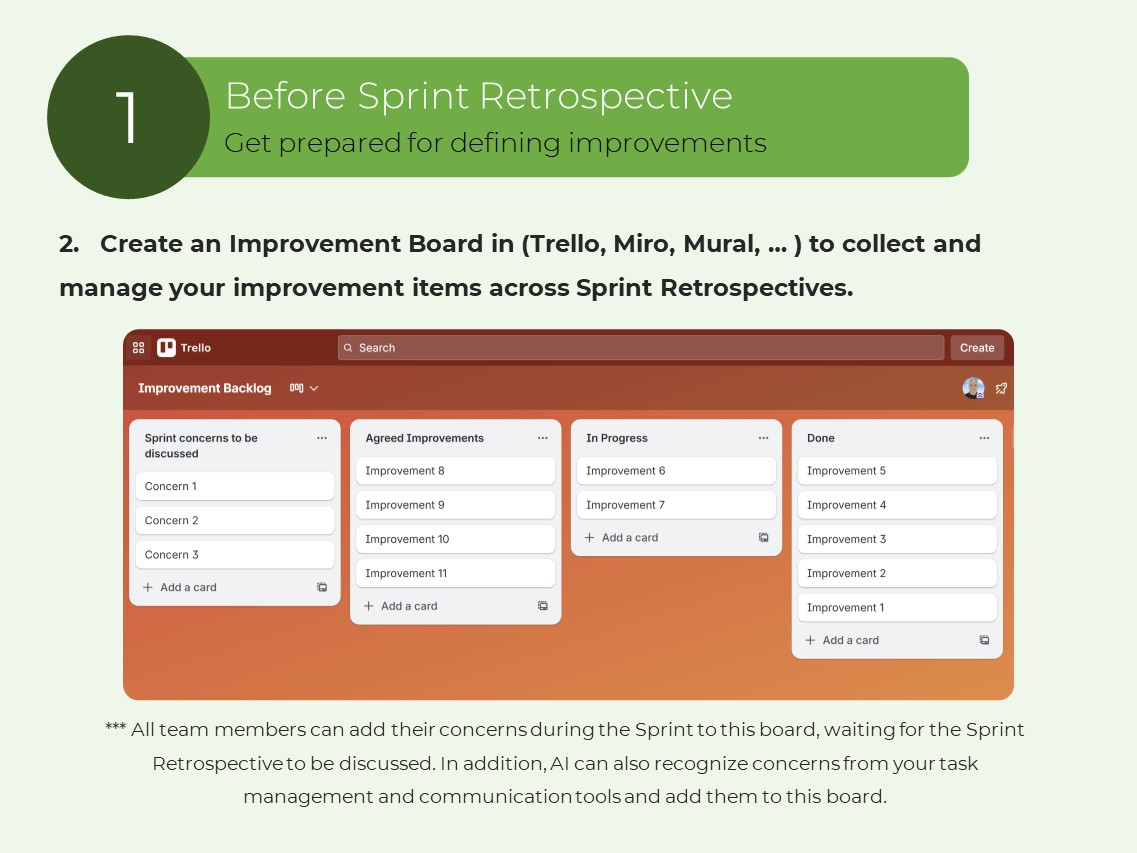
2. Create an Improvement Board in (Trello, Miro, Mural, … ) to collect and manage your improvement items across Sprint Retrospectives.
*** All team members can add their concerns during the Sprint to this board, waiting for the Sprint Retrospective to be discussed. In addition, AI can also recognize concerns from your task management and communication tools and add them to this board.
3. Create an AI Agent to connect with your communication tools (Slack, MS Teams, …)
Schedule to run your AI Agent a few hours before the Sprint Retrospective to go through all the conversations over the Sprint, generate insights, and add them to the Sprint Retrospective channel, plus add new discovered concerns to the Improvement Backlog.
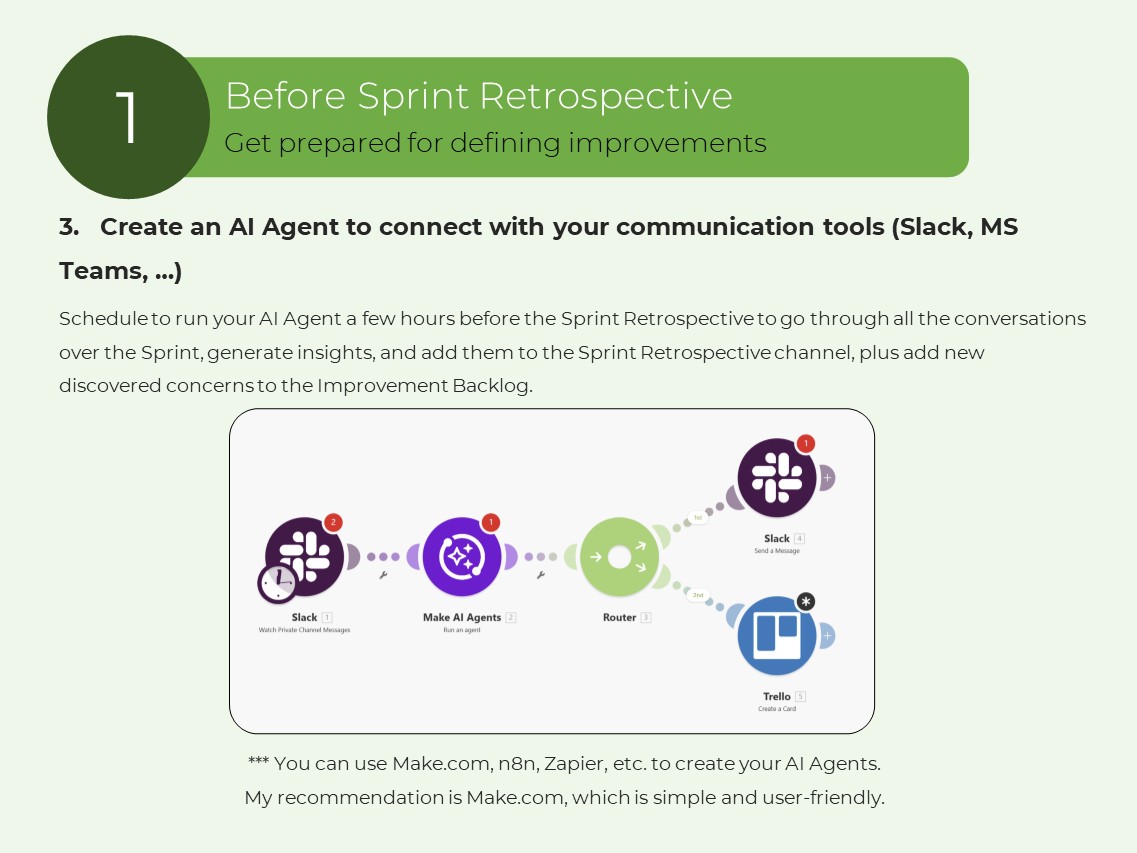
*** You can use Make.com, n8n, Zapier, etc. to create your AI Agents. My recommendation is Make.com, which is simple and user-friendly.
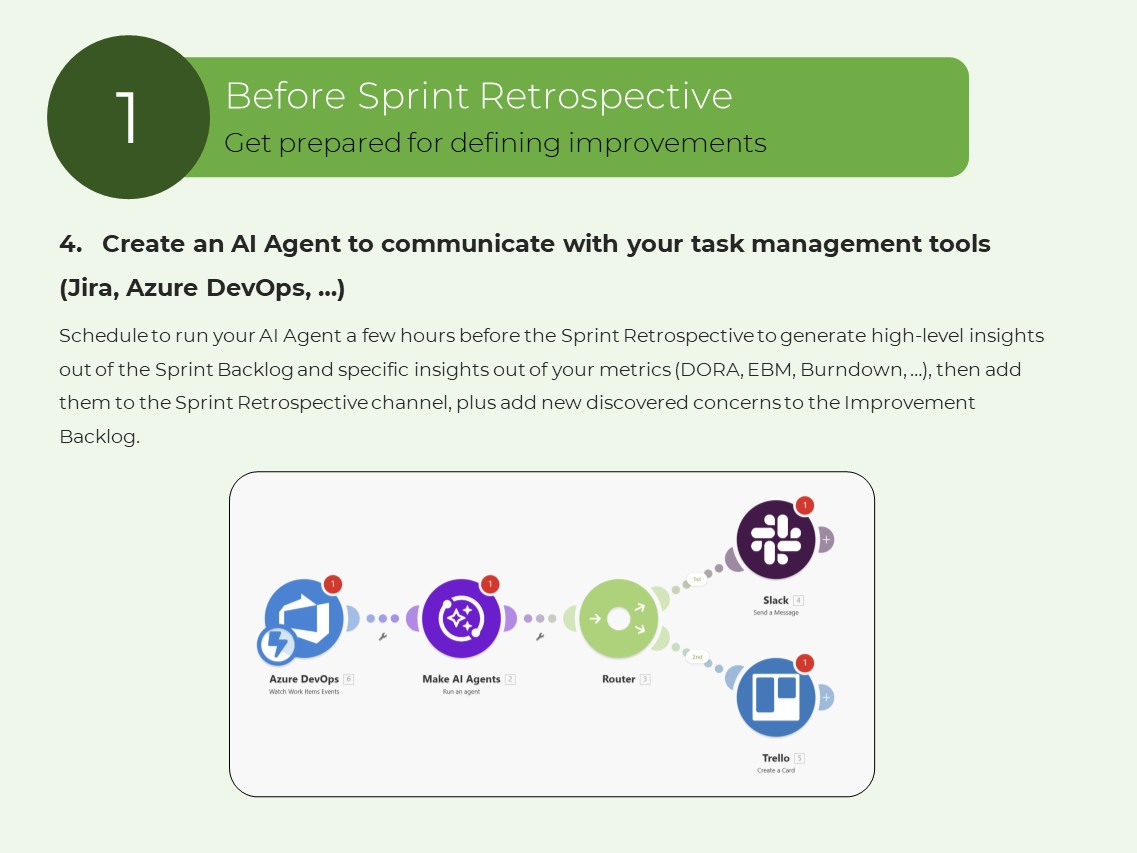
4. Create an AI Agent to communicate with your task management tools (Jira, Azure DevOps, …)
Schedule to run your AI Agent a few hours before the Sprint Retrospective to generate high-level insights out of the Sprint Backlog and specific insights out of your metrics (DORA, EBM, Burndown, …), then add them to the Sprint Retrospective channel, plus add new discovered concerns to the Improvement Backlog.
2- During Sprint Retrospective
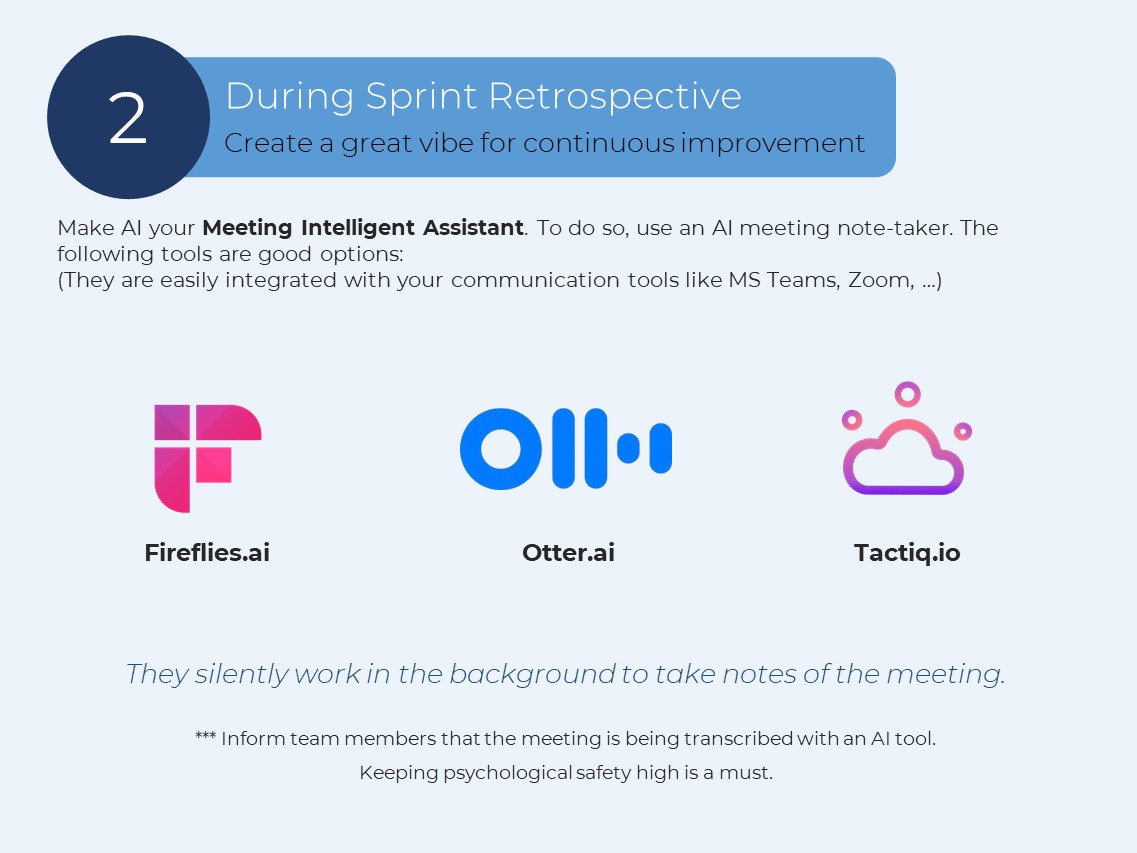
Make AI your Meeting Intelligent Assistant. To do so, use an AI meeting note-taker. The following tools are good options:
(They are easily integrated with your communication tools like MS Teams, Zoom, …)
*** Inform team members that the meeting is being transcribed with an AI tool. Keeping psychological safety high is a must.
Use two screens in your Sprint Retrospective as follows:
*** On the AI Help screen, you can access all AI inputs, including the Sprint Retrospective channel for AI-generated insights, in-meeting AI-generated alerts and flags, and more.
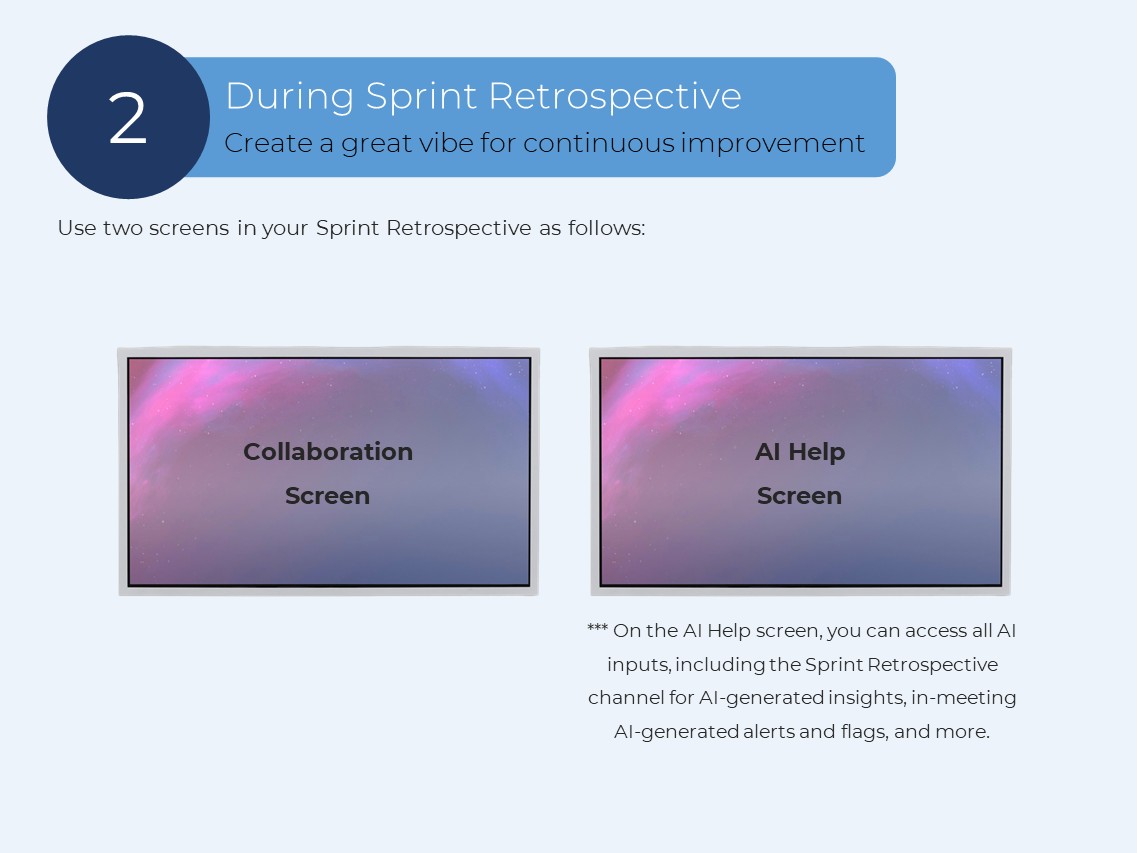
Sprint Retrospective happens in two parallel lines.
Line 1: Team
1- The team checks the insights of the Sprint generated just before the meeting by AI.
2- The team reviews and updates the Improvement Backlog.
3- Team members share their findings and concerns.
4- The team starts the conversation around the concerns listed in the Improvement Backlog.
5- The team agrees on improvement items, how it wants to implement them, and adds them to the Improvement Backlog.
Line 2: AI Assistant
1- Your AI assistant helps you by giving in-time alerts:
- Flag when the team drifts into blaming each other
- Flag repeated issues from past Sprints
- Gently alert when someone exceeds their time
- Alert when the event timebox is over
2- AI can categorize concerns into themes like interactions, processes, tools, …
3- Idea generation on how to tackle issues.
Updating Definition of Done
The DoD is the shared clear understanding of what Done means. The more stringent the Definition of Done, the more quality product.
It is like a checklist, and there is just one DoD at the Product/Team level.
One of the topics that you can discuss in the Sprint Retrospective is updating the DoD. You can leverage AI to help you update it.
It is possible that during the Sprint, you learn something new that you need to improve the Definition of Done. Log and bring them to the Sprint Retrospective.
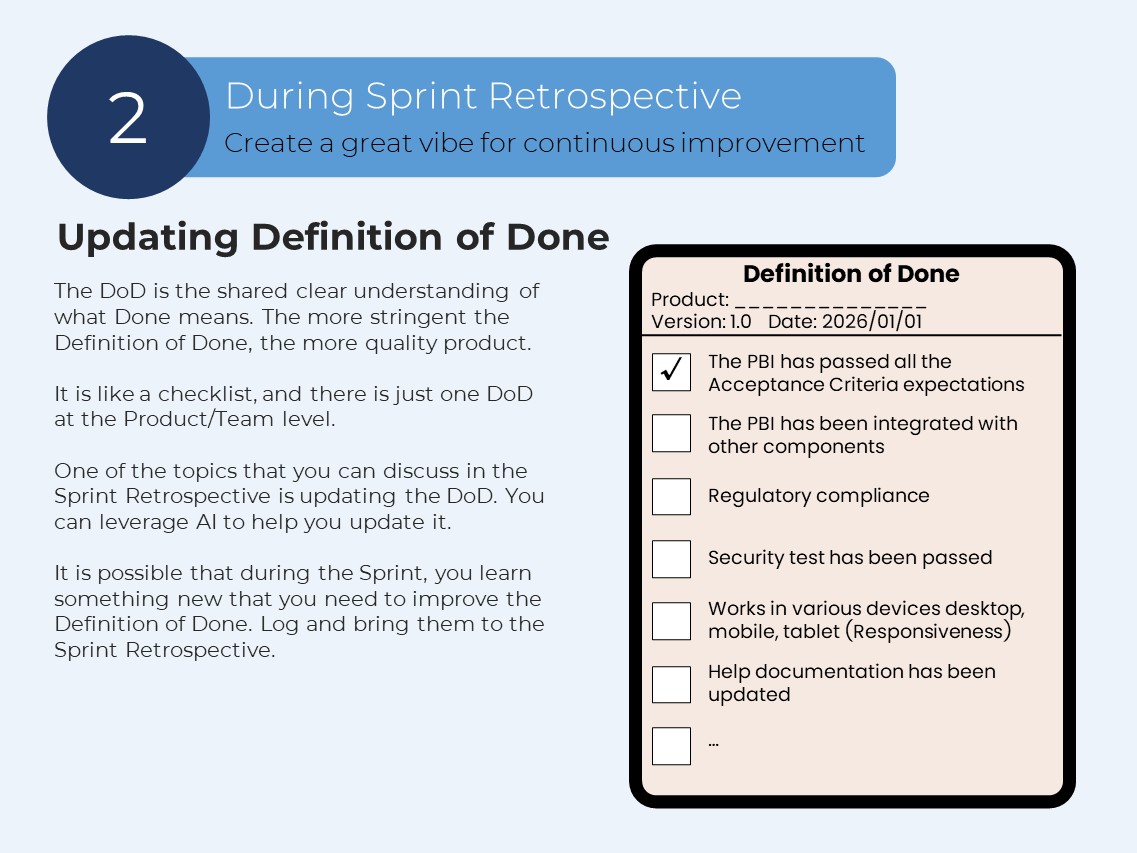
You can leverage AI to update and enhance your Definition of Done.
Copy this prompt, paste it into an AI system like ChatGPT, fill in the brackets with the specific data of your product and learnings to update the Definition of Done:
----------------------------------------------------------------------------
We are building a product for [The high-level concept of your Product]. The product name is [Your Product name].
This is our current Definition of Done: [current Definition of Done].
We have learned these items in this Sprint: [your learnings during this Sprint].
The Definition of Done is the common shared understanding of the criteria that must be met for an Increment to be considered complete. It is the commitment of the Increment artifact to enhancing transparency and focus.
Update the current Definition of Done based on our learnings during this Sprint.
The Definition of Done should be like a checklist, including the following main categories of expectations:
1- Process expectations
2- Technical expectations
3- Delivery expectations
4- Industry standards & expectations
5- Organization expectations
6- Non-Functional Requirements
----------------------------------------------------------------------------
3- After Sprint Retrospective
Setup your AI meeting note-taker to do the following things:
- Create a summary of the Sprint Retrospective.
- Draft a message about the agreed-upon improvement items plus their owners and send it to the team members.
- Create a sentiment analysis to show the engagement level to the team.
AI Insights across Sprint Retrospectives
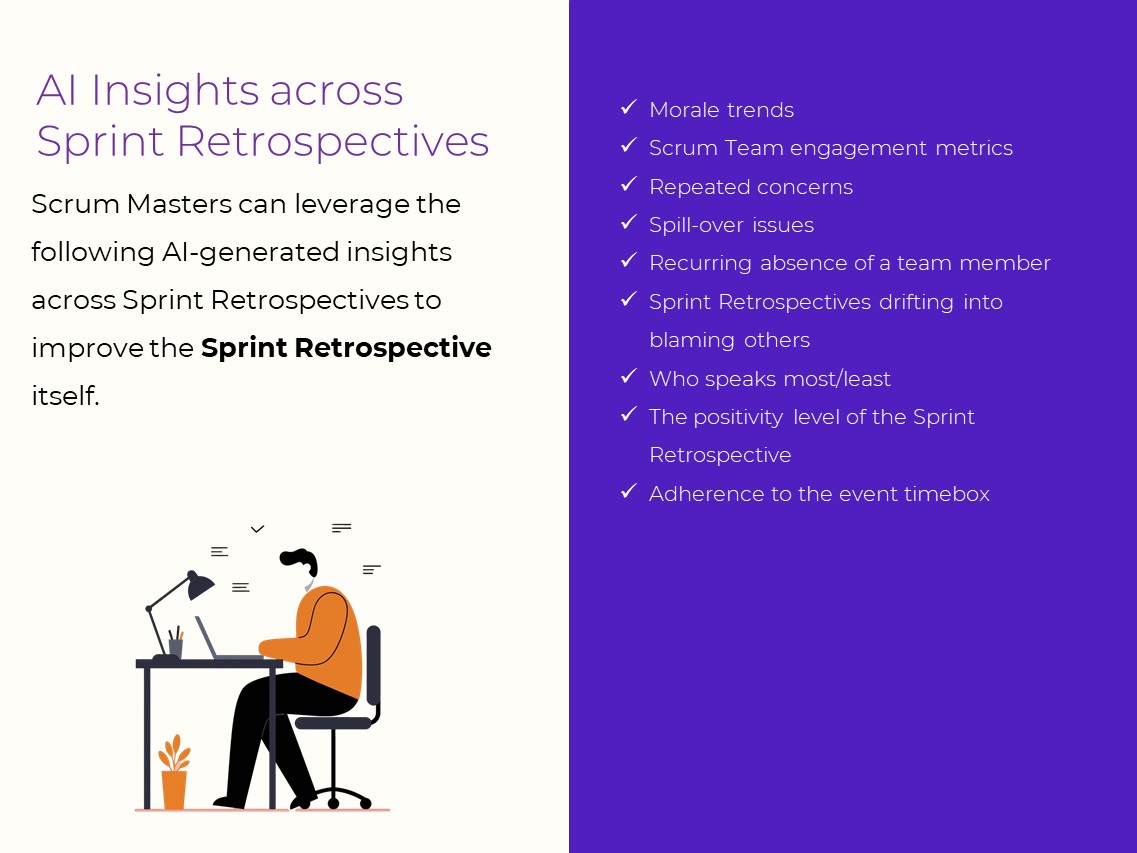
Scrum Masters can leverage the following AI-generated insights across Sprint Retrospectives to improve the Sprint Retrospective itself.
- Morale trends
- Scrum Team engagement metrics
- Repeated concerns
- Spill-over issues
- Recurring absence of a team member
- Sprint Retrospectives drifting into blaming others
- Who speaks most/least
- The positivity level of the Sprint Retrospective
- Adherence to the event timebox
--------------------------------------------------------------------------
Download the full PDF document here.
Are you a Scrum Master?
Then, if you want to invest in learning AI and become an AI-aware Scrum Master, attend my upcoming Professional Scrum Master – AI Essentials class. Click here to get more information about the class.
Are you a Product Owner?
Then, if you want to learn how to effectively leverage AI for the new generation of product management, attend my upcoming Professional Scrum Product Owner – AI Essentials class. Click here to see the class information.