
It is always a question of how to manage the agreed improvements after Sprint Retrospectives, where you don’t want to miss any improvement items.
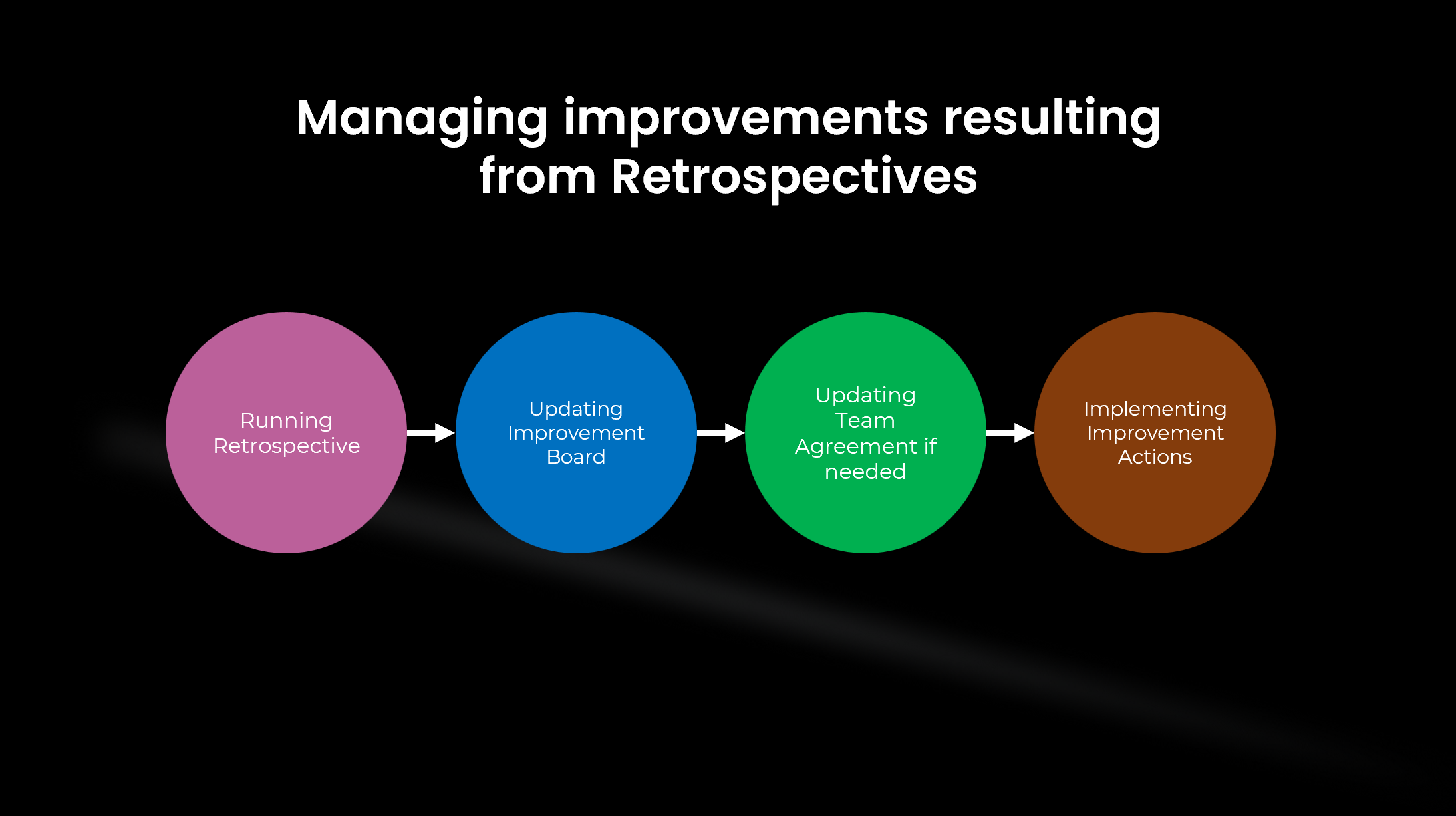
So, I decided to depict the overall process of treating improvements resulting from Retrospectives.
This picture shows you the lifecycle of managing improvements.
You need to have a single Improvement Board for your team. It is like a Product Backlog that you use throughout the project.
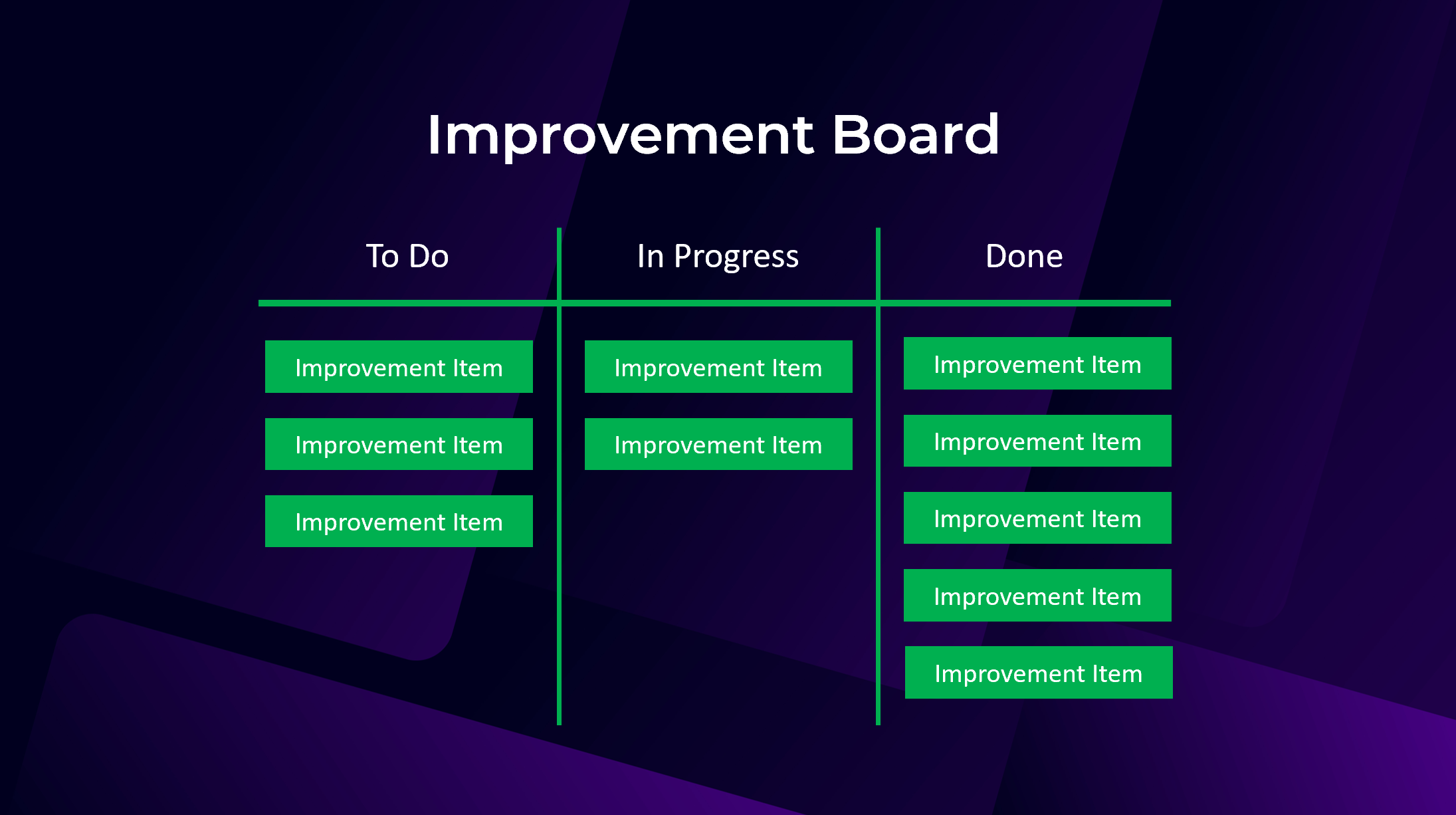
Your Improvement Board is being updated as follows:
At the end of the Retrospective: When you agreed on new improvement items, you add them to the Improvement Board.
When you start implementing an improvement: In this case, you drag the improvement item to the In Progress column.
When you finish implementing an improvement: In this case, you drag the improvement item to the Done column.
- At the beginning of the Retrospective: You check the board collectively with the team and update it if needed.
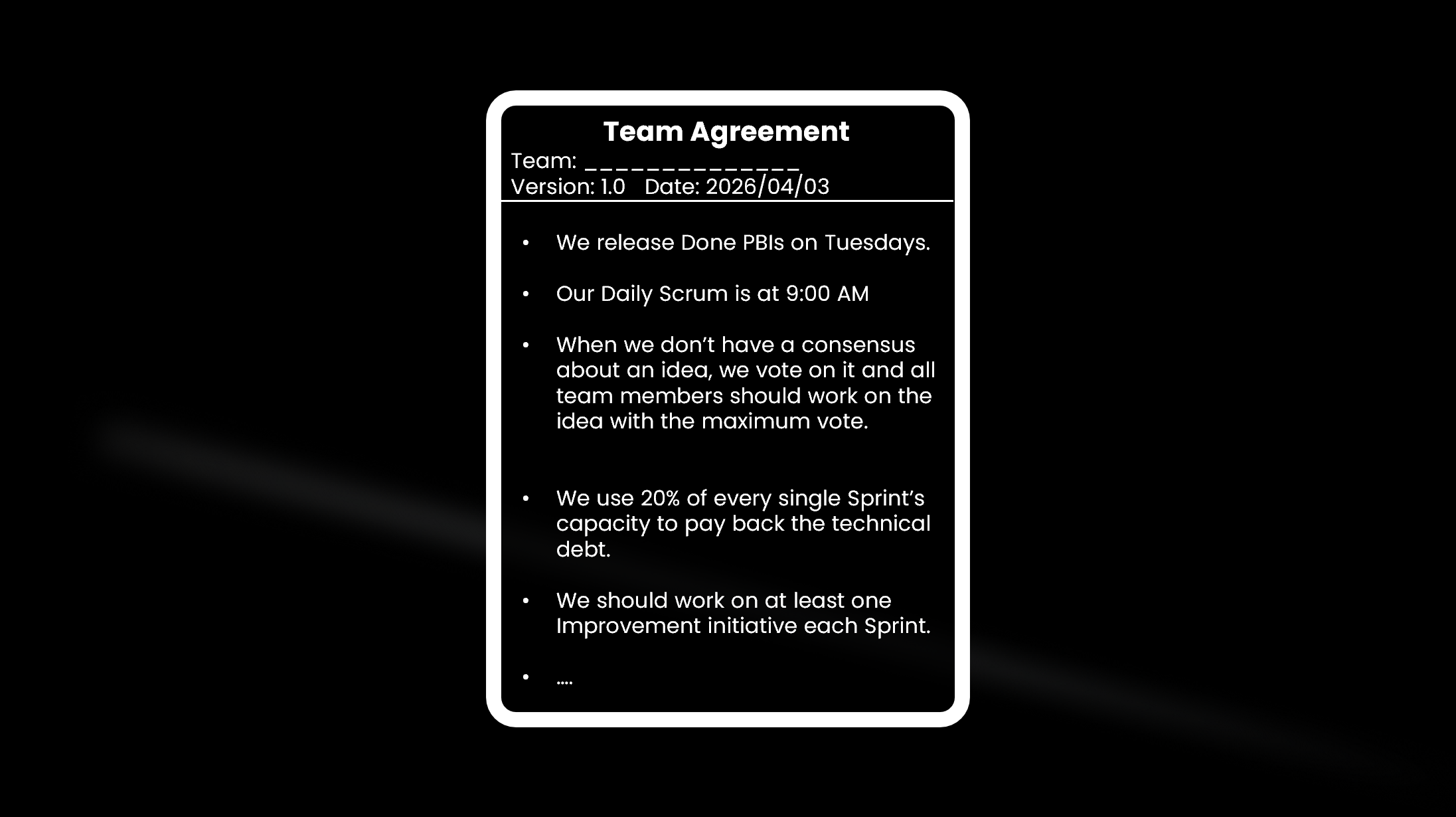
At the end of the Sprint Retrospective, it is possible that you don’t need to implement something, but you need to change a behavior in the team or make a new agreement. Then you need a Team Agreement document. You add the behavior or new agreement to this document. This document is dynamic and upgraded throughout the project. See this example:
-----------------------------------------------------
If you want to start your Scrum journey powerfully and learn Scrum through a high-quality training with a super bonus (a bonus that you cannot find anywhere else), attend my upcoming Professional Scrum Master (PSM) class. Click here to get more information about the class.